
 Grace Sullivan
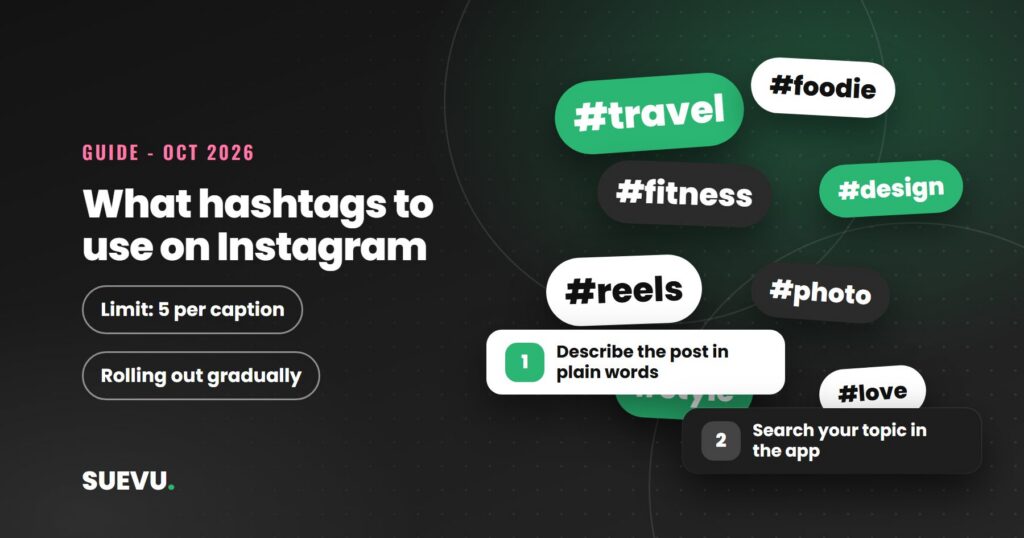
Wondering what hashtags to use on Instagram, and how to find ones that are actually trending? The honest answer is that there is no permanent list, because what trends changes by week and by niche. What you can do is learn a repeatable method for choosing tags, and keep within Instagram’s current limit of five per caption. This guide covers both, based on what Instagram and Meta have said publicly, read on 21 October 2026.
We do not publish lists of “trending hashtags right now” here. A list would be out of date within days, and we could not source one to a dated Instagram page. A method ages better.
Quick answer: use up to five hashtags per post or Reel, all relevant to what the post shows. Find candidates by searching your topic in the app, studying accounts in your niche, and adding the keywords people would type. Skip a tag if it is only popular and does not describe your post.
Status: current as of 21 October 2026. Cost: free. Risk: irrelevant tags can lower reach, and apps that automate activity break Instagram’s rules.
How many hashtags to use now
Social Media Today reported on 18 December 2025 that Instagram will “gradually update the number of hashtags that you can include in a caption for a reel or post to five”. Instagram’s stated reason was that “using fewer (up to 5) more targeted hashtags, rather than many generic ones” can help performance and user experience.
The change is rolling out gradually, so your app may still allow more for now. The report does not say how the limit applies to comments, and we could not confirm that. Older guides, including the earlier version of this page, that suggest long blocks of 20 to 30 tags are out of date. Hashtags sit in the caption, so our caption guide is a useful companion.
What “trending” really means
A trending hashtag is one that many people are using or searching right now. That is not the same as a good tag for you. Instagram’s creator FAQ says trending hashtags that are relevant to the topics in your Reel can help you reach more people, but it also warns that showing irrelevant hashtags can lower engagement and distribution, because the content is shown to people who are not interested.
Two lessons follow. Relevance comes first, and trend status is a bonus. And since Instagram has not published an official list of trending hashtags or a method for measuring reach from a tag, treat any claim of an exact reach boost as unproven. We found no official figure. Hashtags are one signal among several, as our guide to the Instagram algorithm explains.
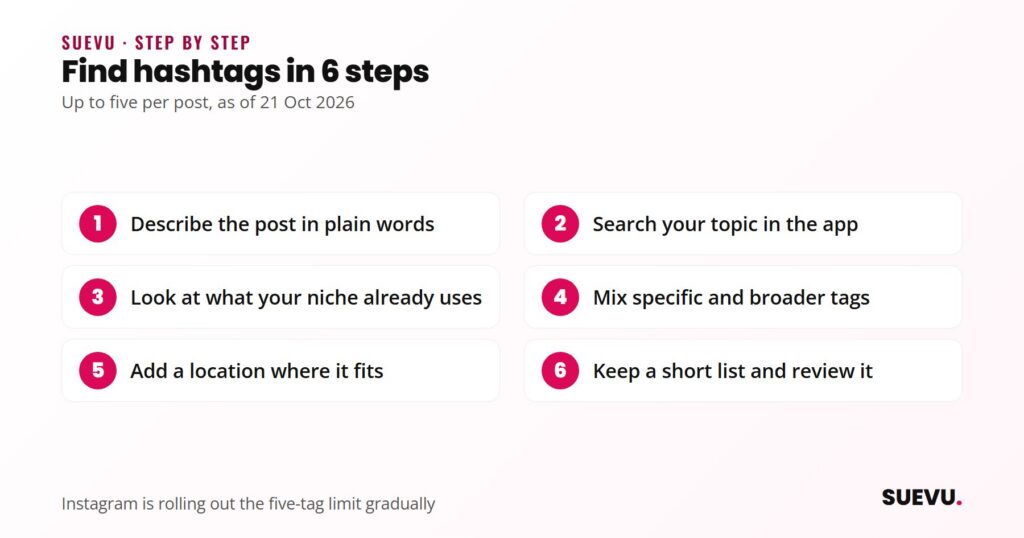
How to find hashtags: 6 steps
Menu names in the app change over time, so if a button below is labelled differently on your phone, look for the closest match.
Step 1: Describe the post in plain words
- Do: write down what the post shows, who it is for and what someone would type to find it.
- Why: Instagram says to include relevant keywords in your content, caption, bio and hashtags so people can find you through search. Your own words are the best starting point.
Step 2: Search your topic in the app
- Do: use Instagram’s search with your topic words and look at the tag results and suggestions that appear.
- Check: open the tag and look at the posts. If they look like yours, it is a candidate. If they are unrelated or spammy, skip it.
Step 3: Look at what your niche already uses
- Do: open recent posts from accounts your audience follows and note the tags that describe the content, not the ones that are generic filler.
- Do not: copy a whole caption block. Reuse only tags that truly fit your post.
Step 4: Mix specific and broader tags
- Do: with five slots, a sensible mix is one or two broader topic tags and the rest narrow ones for your exact subject or location.
- Why: Instagram’s stated aim with the limit is targeted tags over generic ones. We have no official size threshold to give you, so judge by whether the tag’s posts resemble yours.
Step 5: Add a location where it fits
- Do: tap Add location before sharing, type the place, then select it from the suggestions. Instagram’s help page says people who tap the location can see content tagged at the same place on the Instagram map, subject to your privacy settings.
- Later: you can add or change it on a shared post through Options, then Edit.
Step 6: Keep a short list and review it
- Do: keep a list of 10 to 15 relevant tags for your topics and pick up to five per post.
- Review: check Insights after a few posts to see how many people you reached who do not follow you, then adjust. Instagram’s creator tips suggest breaking down reach between followers and non-followers and tracking changes over time.
Third-party hashtag research tools exist. We do not recommend a specific one here, because we have not tested any and cannot vouch for their data. If you use one, treat its numbers as estimates and never share your Instagram password with it. If you plan posts ahead, our guide to scheduling Instagram posts shows how.
How to choose what hashtags to use
Before you add a tag, run it through four questions.
- Does the post actually show or discuss this topic?
- Would a real person interested in the topic search for this tag?
- Are the posts under the tag similar in quality and subject to mine?
- Does the tag open normally in the app, with no warning?
If the answer to any is no, replace it. If you are unsure why a post is not reaching people, our guide on why Instagram hashtags are not working covers restricted tags and other causes.
What it costs
Nothing. Hashtag search, location tags and Insights are built into Instagram. Paid hashtag tools are optional, and you can compare scheduling and analytics options in our roundup of Instagram tools.
Safety and risks
- Irrelevant tags. Instagram says irrelevant hashtags can hurt engagement and distribution. Meta’s spam standard covers content designed to “artificially increase viewership”, and repeated tag stuffing can look like that.
- Growth and automation apps. In November 2018 Instagram said that third-party apps used to grow an audience violate its Community Guidelines, and that accounts that keep using them “may see their Instagram experience impacted”. Never give your password to a hashtag or growth service.
- Branded and sensitive tags. Do not use tags that falsely suggest your post is about a news event or cause it is not about.
What trending tags can and cannot do
| Can do | Cannot do |
|---|---|
| Help people interested in a topic find a relevant post | Guarantee reach or likes |
| Describe your content for search | Rescue a post people do not want to engage with |
| Cost nothing and take seconds | Be used beyond the limit of five once it reaches your account |
| Be tested and refined per post | Stay trending: the list changes constantly |
Who this suits
- Small or new accounts: specific niche tags beat broad ones. See our guide to building an Instagram following. Students can also try the free ideas in our guide to free followers for students.
- Businesses: tags should describe the product, service or place. A location tag helps local searches.
- Event or campaign posters: a short branded tag makes your posts easy to collect. Check first that nobody else uses it for something else.
- Anyone chasing reach: read about how the algorithm works first, because hashtags are one signal among several.
What to do besides hashtags
Write captions with the keywords people would search, post original content, and reply to comments. Instagram’s creator FAQ suggests liking or authentically replying to comments on a Reel within the first 7 days. Our Instagram tips section covers more.
Also useful: how to turn on dark mode and the latest Instagram updates.
FAQ
What hashtags should I use on Instagram?
Up to five that describe the post: a mix of specific tags for your subject or place and one or two broader topic tags. We do not publish a fixed list because trends move quickly.
How many hashtags can I use on Instagram?
Five per caption for posts and Reels, according to Instagram’s December 2025 announcement as reported by Social Media Today. It is rolling out gradually.
Do trending hashtags get more likes?
Instagram says relevant trending hashtags can help a Reel reach people interested in the topic. We found no official number for the effect, and irrelevant tags can lower engagement.
Is it better to use popular or niche hashtags?
Instagram’s stated preference is for targeted tags over generic ones. Niche tags usually describe your post more accurately. We have no official size threshold.
Where do I put hashtags: caption or comments?
The official announcement we read refers to captions. We could not confirm how comments are treated, so put your tags in the caption.
Can I use the same hashtags on every post?
Instagram has not published a rule against it, but one fixed set cannot be relevant to every post. Choose per post.
Rules change often. If something here is out of date, tell us on the contact page, as described in our editorial policy.