 Grace Sullivan
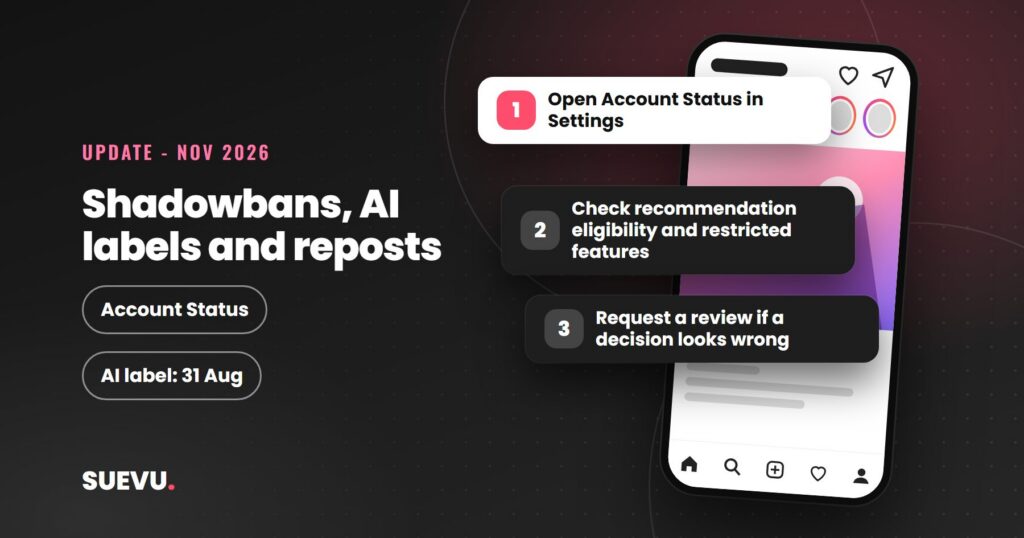
Instagram doesn’t use the word “shadowban” for a hidden penalty. Its own pages do describe several ways an account can stop being recommended to people who don’t follow it, and three 2026 changes spell those rules out: the “AI-generated profile” label (31 August), the originality rules for photos and carousels (30 April), and the Account Status screen, which tells you whether you can be recommended at all.
Everything below is quoted or summarized from Instagram and Meta pages as we read them on 6 November 2026. It’s a summary, not legal or platform advice, and Instagram can change these rules at any time. We track other changes in our Instagram Updates section.
Quick answer: Instagram says “shadowbanning” is a broad term people use for many experiences. What it does document is recommendation eligibility: content and accounts that break its Recommendations Guidelines stay up but aren’t shown to non-followers in places like Explore, Reels and suggested accounts. In 2026 it added two clear triggers, mainly posting unoriginal photos, carousels or Reels, and featuring an AI-generated person without the AI-generated profile label. You can check your standing in Account Status and appeal from there.
What Instagram says about “shadowbans”
Adam Mosseri, the head of Instagram, addressed the word in a June 2021 post on how Instagram works. He called shadowbanning “a broad term that people use to describe many different experiences they have on Instagram”, admitted Instagram hadn’t always done enough to explain its moderation and ranking, and said it can’t promise you’ll reach the same number of people every time you post. The post is on Instagram’s own blog.
He also explained that each part of the app ranks posts its own way. Feed and Stories rank recent posts from accounts you follow. Explore and Reels recommend posts from accounts you don’t follow and lean more on predicted likes, saves, shares and watch time. So a drop in reach often has an ordinary cause, such as fewer people engaging with a post. Our guide to the Instagram algorithm goes through those signals.
How recommendation eligibility works
According to Instagram’s help page on recommendations, its Recommendations Guidelines hold “a higher standard than our Community Standards”, because recommended posts come from accounts people haven’t chosen to follow. Breaking the Community Standards gets content removed. Breaking only the Recommendations Guidelines leaves it up, but it may not be recommended.
The page names three groups of content that may not be recommended. The first is sensitive material, for example posts about self-harm or eating disorders, violence, sexually suggestive content, and posts promoting regulated products such as tobacco, vaping or weight-loss products. The second is low-quality material, including “unoriginal content that is largely repurposed from another source with only minor, immaterial edits”, long captions unrelated to the post, and “coordinated comment networks intended to artificially drive engagement and distribution”. The third is content rated false or misleading by independent fact-checkers, in countries where Meta works with them.
A separate list covers accounts Instagram tries not to recommend. It includes accounts that recently broke the Community Guidelines, accounts that “repeatedly engaged in misleading practices to build followings, such as purchasing ‘likes'”, and accounts that keep sharing a photorealistic AI-generated person without the AI-generated profile label. If you’re weighing a growth service, note that buying likes is named outright.
The AI-generated profile label (31 August 2026)
Instagram’s creators blog announced on 31 August 2026 that the “AI creator” label had been renamed “AI-generated profile”. It’s for profiles that feature an AI-generated person rather than a human. The announcement says creators whose profiles feature such a person “can and should apply the label”, which you switch on under Edit profile. If you only use AI tools while making your posts, you don’t need it.
Profiles that add the label themselves “will not see a change to their profile’s reach”. Unlabeled ones that Instagram detects may have their reach limited. Instagram notifies them, they can check Account Status to see whether they’ve lost recommendation eligibility, and they can either add the label or appeal. Once a profile is labeled, the label also appears next to its content, unless the media already carries an AI label.
Originality and repost accounts (30 April 2026)
The originality protections Instagram brought in for Reels in 2024 were extended to photos and carousels on 30 April 2026. Accounts that mainly post unoriginal content in those formats are no longer shown where Instagram recommends content, though their existing followers still see them. Instagram’s creators blog defines the terms:
- Original means work you wholly created or that reflects your own perspective, such as photos or videos you took. Someone else’s content can count if you edit it materially, for example by adding context or new information.
- Unoriginal means re-uploading someone else’s photo, carousel or Reel without meaningful creative input. A border, watermark, subtitles or a caption credit on their own don’t make it original.
An account gets its eligibility back when a significant share of the photos, carousels and Reels it posted in the last 30 days are original, and Instagram checks this on a rolling basis. Instagram also says 75% of recommendations in the US now come from original posts. Meme, quote and repost pages feel this most; our guides to Instagram quotes and the Explore page cover how to post work that still counts as your own.
How to check Account Status
Account Status is where Instagram reports removals, restrictions and recommendation eligibility. The help center says you’ll find it in Settings, under “More info and support”. On a professional account you can view removed content, see “Features you can’t use”, and request a review of a decision you think is wrong. Instagram says you usually get a warning before losing access to an account.
The screen has grown over time, according to Instagram’s announcements page. Since December 2022 professional accounts can check whether their content can be recommended to non-followers; since April 2023, whether the account can appear in Search and suggested accounts; and since June 2023, which features are restricted. Each screen gives you an option to edit, delete or appeal.
What Instagram does not say
None of these common beliefs is backed by the Instagram pages we read on 6 November 2026:
- There’s no official “shadowban checker”. Account Status is Instagram’s own tool, and third-party checkers can’t see it.
- Instagram doesn’t say that using AI tools reduces reach. The AI rule covers profiles that feature an AI-generated person without the label.
- Instagram doesn’t say a set number of hashtags gets you banned. If tagged posts aren’t showing, our guide to hashtags not working lists the documented causes.
- Reposting isn’t banned. Accounts that mainly repost without adding anything lose recommendation eligibility, and their followers still see them.
What to do if your reach dropped
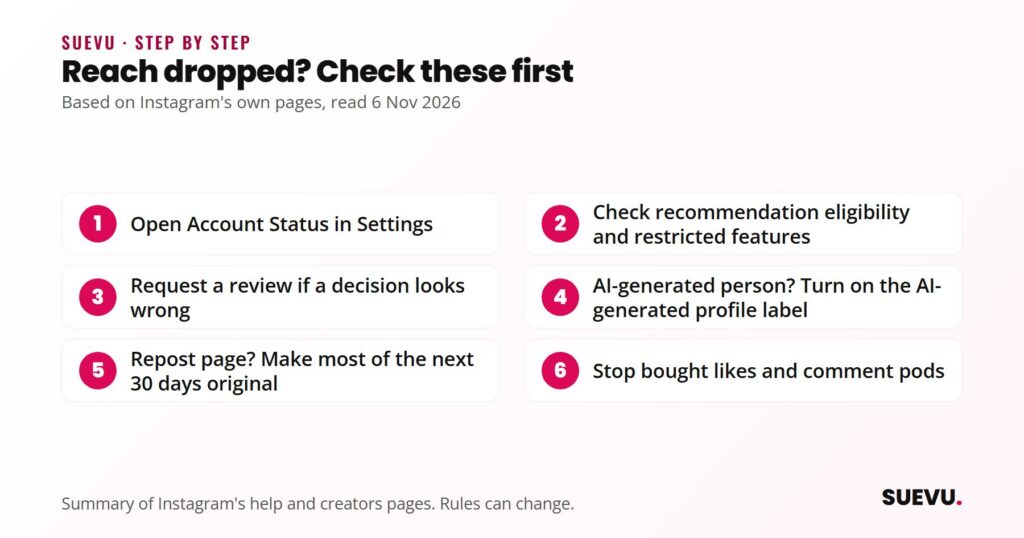
- Open Account Status and check for removed content, restricted features and recommendation eligibility.
- If something is flagged that you think is wrong, request a review from the same screen.
- If your profile features an AI-generated person, turn on the AI-generated profile label.
- If you run a repost page, make most of your next 30 days of posts original or materially edited.
- Stop any service that sells likes, follows or comment “pods”; Instagram names bought likes and coordinated comment networks in its guidelines.
- If none of that applies, look at ordinary engagement. Our guide to getting more likes covers what Instagram says it ranks.
Instagram shadowban FAQ
Is the Instagram shadowban real?
Instagram treats “shadowbanning” as a broad term for many experiences. The mechanism it does document is recommendation eligibility, where some content and accounts aren’t shown to non-followers, and Account Status tells you when that applies to you.
How do I know if I am shadowbanned on Instagram?
Go to Settings and open Account Status. On a professional account it shows whether your content can be recommended, whether you appear in Search and suggested accounts, and which features you can’t use.
Does Instagram limit AI content?
Not for simply using AI tools, according to the 31 August 2026 announcement. Profiles that feature an AI-generated person should use the AI-generated profile label, and unlabeled ones Instagram detects may see reach limits.
Do reposts hurt reach on Instagram?
For accounts that mostly repost, yes: if most of your photos, carousels or Reels are unoriginal, you won’t be recommended to non-followers. Eligibility comes back once a significant share of your posts over a rolling 30 days are original.
How long does a shadowban last?
Instagram doesn’t give a fixed period. Originality is checked over a rolling 30 days, and for the AI label, adding the label or winning an appeal restores eligibility.
Can buying likes or followers affect reach?
Instagram’s Recommendations Guidelines say it tries not to recommend accounts that “repeatedly engaged in misleading practices to build followings, such as purchasing ‘likes'”.