
 Grace Sullivan
This Pallyy review covers a social media scheduler that sells its plans by the number of clients, or “social sets”, you manage instead of by the number of channels. It sets out what Pallyy’s own pages say as of 29 October 2026, how it connects to Instagram, where those pages leave questions open, and what that means for your account.
We do desk research only. We did not sign up for, pay for or run Pallyy, so everything below comes from Pallyy’s pricing page, homepage, About page and help center, from Meta’s developer and help documentation, and from the review sources we could open, all read on 29 October 2026.
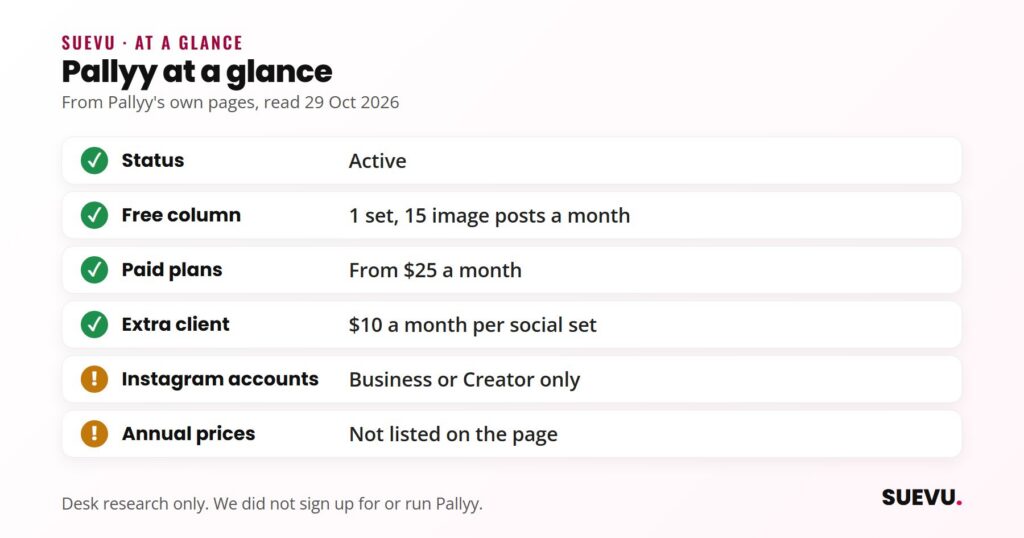
Quick answer: Pallyy is a live, small, founder-run scheduler with a content calendar, analytics, a social inbox, link-in-bio pages and client approval links. Its pricing table lists a Free column (one social set, 15 scheduled image posts a month) and paid plans from $25 a month. On Instagram it needs a Business or Creator account and says it publishes through Instagram’s official API, so it never sees your password.
Status: active. Price from: $0 on the Free column, $25 a month on Pro (monthly price; annual prices are not listed). Safety: no follow or like automation; the connection is a platform login, not a password hand-over.
What Pallyy is
Pallyy describes itself as a scheduler for agencies, freelancers and multi-location businesses. Each client is one social set with its own accounts, calendar, inbox and analytics, and the homepage line is that you “pay per client, not per channel”. According to its About page, the company is Pallyy Pty Ltd, based in New South Wales, Australia, founded in 2019 by Tim Bennetto, bootstrapped with no outside funding, and run by a team of three. It does not state a customer count.
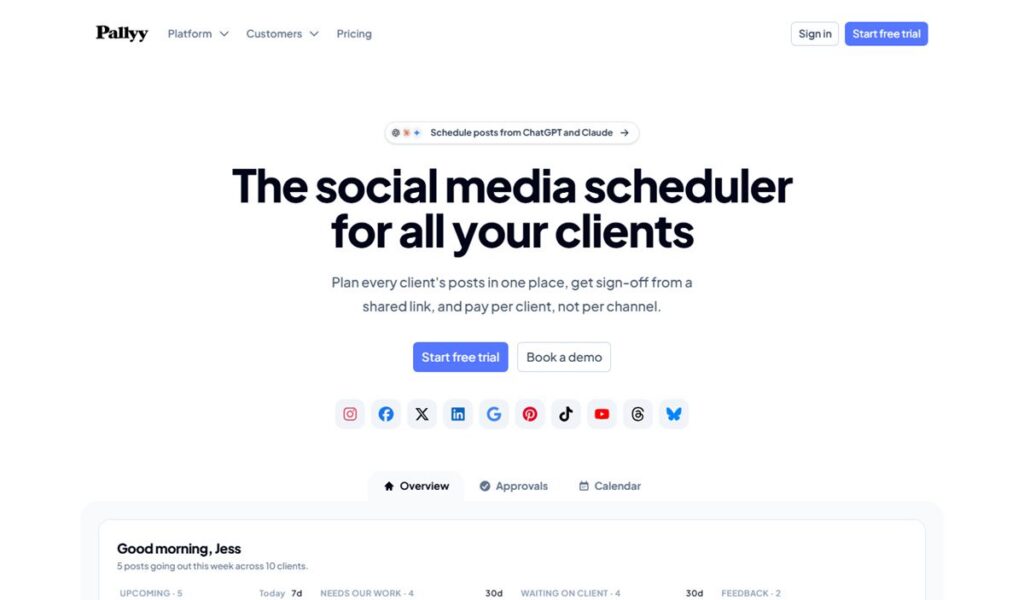
The homepage lists ten networks: Instagram, Facebook, X, LinkedIn, Google Business Profile, Pinterest, TikTok, YouTube, Threads and Bluesky. It also links to a feature for scheduling posts from ChatGPT and Claude, which we did not look into; for the wider picture, see our social media automation roundup. Our Content & Scheduling hub lists the other tools and guides in this area.
How it connects to Instagram
Pallyy’s help center says you add accounts under Settings, Social Sets, and that each connection is “an official login with the platform itself, so Pallyy never sees your password”. For Instagram there are two routes, and they differ in what you get.
- Login with Facebook (full features). Needs an Instagram Business or Creator profile that is connected to a Facebook Page you manage. You are sent to Facebook to grant Pallyy access to the Instagram accounts you can reach, then pick the account and click Connect.
- Login with Instagram. For accounts that are not linked to a Facebook Page. Pallyy’s help page says it has “no post location, no product tagging, no collaborator tagging, no analytics, and no inbox”.
Personal profiles cannot be connected, because, in Pallyy’s words, they “aren’t supported by Instagram’s API”. Connections can expire after events such as a password change or turning on two-factor authentication, and Pallyy says it emails you when that happens so you can refresh the link in Settings. An expired connection can cause failed posts until you do.
What it does for Instagram
Scheduling and publishing
Pallyy’s Instagram page says it schedules feed posts, Reels, carousels and Stories, that everything auto-publishes at the scheduled time and that “there’s nothing to confirm on your phone”. Each post can carry user tags, a location and a scheduled first comment, which the page calls a popular place for hashtags. A grid preview shows published and scheduled posts together and lets you drag them into a new order. For Instagram’s own free scheduler, see our guide to scheduling Instagram posts.
The page does not say how Stories with stickers, links or music are handled, and it gives no carousel item cap or Reel length limit. Meta’s publishing documentation says apps can publish carousels of up to 20 items and are limited to 100 API-published posts in a 24-hour period, although the same document also mentions 50 in its carousel section, so we would not rely on either figure.
Analytics, inbox and link in bio
Analytics cover follower growth, reach, impressions, engagement, Stories and audience demographics, with best-time-to-post suggestions, competitor comparison and shareable reports. The pricing page lists custom client reports from the Agency plan. The inbox collects comments, DMs, mentions and Story replies, and is on Pro and above. For other analytics options, see our Instagram analytics roundup.
The paid plans also include link-in-bio pages, which Pallyy lists in its plan cards without further detail. Our link-in-bio guide and Linktree review show what to compare them with.
Client approvals
This is the feature Pallyy leads with. Clients preview, comment on and approve posts through a shared calendar link without an account or a paid seat, and approved posts publish automatically. Team members can be given editor, collaborator or viewer access per social set.
Pricing
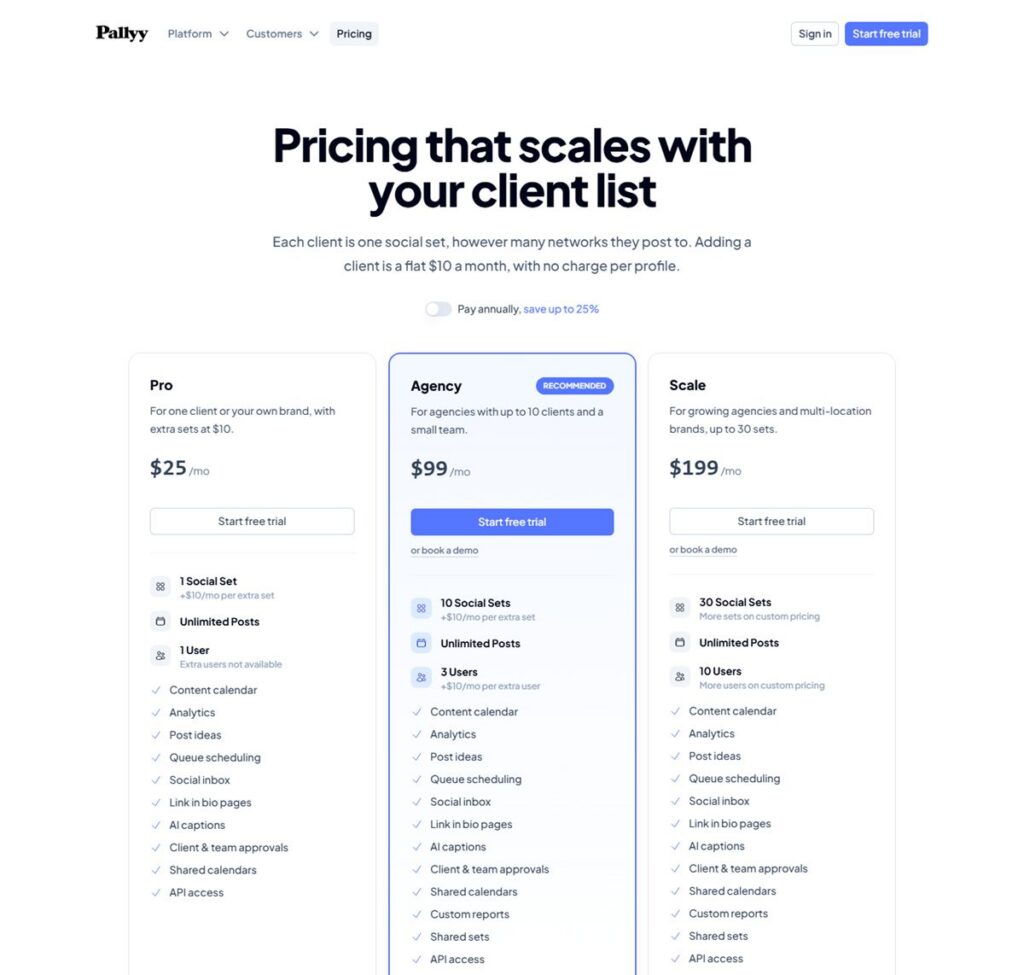
Prices below are in US dollars from Pallyy’s pricing page on 29 October 2026. The page offers a toggle labelled “Pay annually, save up to 25%” but does not show annual prices, so the figures are monthly rates. It says paid plans start with a 14-day trial that needs card details and charges nothing if you cancel before it ends.
| Plan | Price | Social sets | Team users | Scheduling | Analytics history |
|---|---|---|---|---|---|
| Free (comparison table) | $0 | 1 | 1 | 15 posts a month, images only | 30 days |
| Pro | $25 a month | 1 (extra $10 each) | 1 | Unlimited | 5 years |
| Agency | $99 a month | 10 (extra $10 each) | 3 (extra $10 each) | Unlimited | 5 years |
| Scale | $199 a month | 30, then custom | 10, then custom | Unlimited | 5 years |
The three paid cards list the content calendar, analytics, post ideas, queue scheduling, social inbox, link-in-bio pages, AI captions, client and team approvals, shared calendars and API access, with custom reports and shared sets added from Agency. The page’s own example is that three clients on Pro cost $45 a month, and five or more fit Agency. Eligible charities and nonprofits get 50% off. Cancelling keeps the plan active until the end of the billing period. The page does not mention a refund policy, and the Terms page we read covers website use only, so billing terms were not confirmed.
Limits to know about
- Free column: one social set, 15 scheduled posts a month, image posts only (so no video or carousels), 30 days of analytics, 200MB of storage and a 10MB file limit.
- One account per network in each set: a second Instagram account for the same client needs another set, at $10 a month on paid plans.
- Business or Creator only: personal profiles are out. Switching is free, but Instagram’s help center warns that switching a private account to professional makes it public.
- Inbox and analytics need the Facebook route: the Instagram-only login lacks both, plus location, product tags and collaborator tags.
- Unstated details: Stories with interactive stickers, carousel and Reel limits, and the Free plan’s reach beyond Instagram are not described on the pages we read.
- Pricing quirk: the comparison table shows “11” accounts per set on every plan without explaining it.
Safety and account risk
Pallyy is not a growth bot. It publishes your own content, reads your own data and handles your own inbox; it does not follow, like or comment on other accounts to attract followers. Pallyy states that publishing uses each platform’s official API and that you sign in on the platform’s own page, which is a different category from the password-based tools covered in our guide to Instagram automation.
Third-party access is still never risk-free. Meta sets the rules for what apps can do, access tokens can expire or be revoked, and a failed refresh means scheduled posts may not go out. Use the Facebook route if you need the full feature set, keep an eye on the “connection expired” emails, and never share an Instagram password with any tool that asks for it outside Meta’s own sign-in screen. Meta describes the access routes in its Instagram content publishing documentation.
What users say
We could not find a Pallyy company profile on Trustpilot, and G2 and Capterra blocked our requests, so we could not read their reviews ourselves. Pallyy’s About page says it has 81 Capterra reviews rated 4.7 out of 5, which is the company’s own figure and one we could not verify.
Most written reviews we found were published by competitors or by affiliate-style sites, so we did not use them for any claim here. Check recent reviews on the sites you trust before paying, and use the 14-day trial to test the connection with your own account.
Pros and cons
Pros
- Published prices, charged by client rather than by channel.
- A Free column for one social set, and a 14-day trial on paid plans.
- Clients can approve posts through a shared link with no seat or account.
- Publishes Reels, carousels and Stories through Instagram’s official API, with a first comment and a grid preview.
- Connection is a platform login; Pallyy says it never sees your password.
Cons
- Business or Creator accounts only.
- Free column is images only, 15 posts a month.
- Instagram-only login drops the inbox, analytics, location and tagging features.
- Annual prices, Stories limits, carousel and Reel limits and a refund policy are not stated on the pages we read.
- A team of three, with no independent reviews we could read ourselves.
Who it suits
Pallyy suits freelancers, small agencies and multi-location brands that manage several client accounts and want sign-off through a link. A single creator or brand with one account can start on the Free column or Pro at $25 a month. It is a weaker fit for personal accounts, for anyone who needs video scheduling on a free plan, or for people who cannot link a Facebook Page and still want the inbox and analytics.
Alternatives
Compare it with Metricool, which charges by brand and has its own free plan, and with the tools in our Instagram manager tools roundup. Pricing, limits and Instagram support differ between schedulers, so check each tool’s own pages on the day you decide.
Pallyy FAQ
Is Pallyy free?
Its pricing page comparison table lists a Free column: one social set, 15 scheduled posts a month, images only, no card needed. Paid plans start at $25 a month and begin with a 14-day trial that needs card details.
Does Pallyy need my Instagram password?
Pallyy says each connection is an official login with the platform itself, so it never sees your password. You sign in through Facebook or Instagram and grant access there.
Can Pallyy schedule Instagram Reels and Stories?
Its Instagram page says it schedules feed posts, Reels, carousels and Stories and publishes them automatically. It does not describe limits for Stories with stickers, links or music, so check those before relying on them. On the Free column only image posts are allowed.
Does Pallyy work with personal Instagram accounts?
No. Pallyy says personal profiles are not supported by Instagram’s API, and you need a Business or Creator account. Switching is free in the Instagram app.
How much does it cost for several clients?
Each extra social set is $10 a month on Pro and Agency. Pallyy’s own example is $45 a month for three clients on Pro, and its Agency plan at $99 a month covers 10 sets and three team users.
Is Pallyy safe for my Instagram account?
It publishes your own content and reads your own data through Instagram’s official API instead of automating follows or likes. No third-party tool is risk-free, because Meta controls access and connections can expire.