
Linktree is the best-known link-in-bio tool for Instagram, and this Linktree review covers what it does, what each plan costs according to its own pricing page, where it falls short and which options are worth a look. It is still the default choice for many creators who want more than one link on a profile.
Every price and feature below was read on 21 October 2026. We did desk research only: we did not sign up for or test Linktree, so nothing here is a hands-on result. Where a detail could not be confirmed, we say so.
Quick answer: Linktree is a solid, widely used link-in-bio page that works fine on the free plan if you only need a list of links. Paid plans add scheduling, deeper analytics, monetisation tools and branding removal. Since April 2023 Instagram itself lets you add up to five links, so a separate tool is less necessary than it once was.
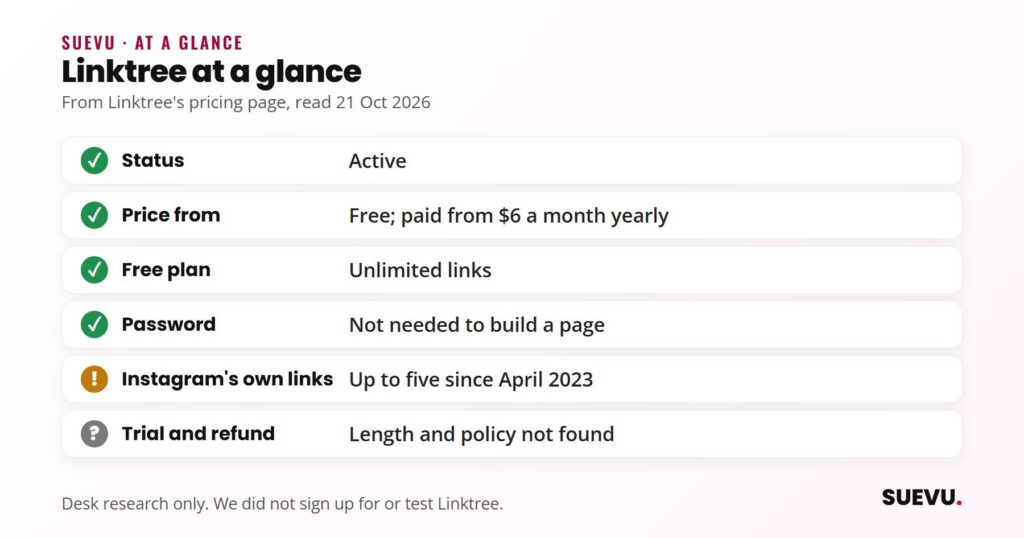
Status: active. Price from: free; paid plans from $6 a month billed annually ($8 billed monthly). Safety: building a page does not require your Instagram password, and Linktree does not automate follows or likes.
What Linktree is
Linktree is a link-in-bio service. You build a small mobile page that holds all your important links, then put its address in your Instagram bio. Instagram profiles used to allow only one clickable link, which is the problem Linktree was made to solve.
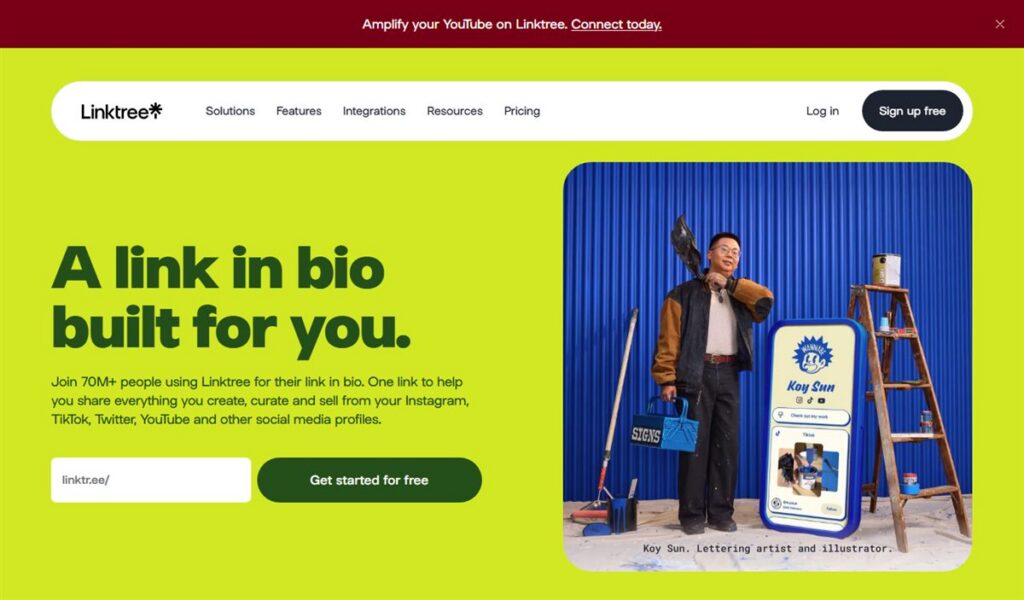
The company was founded in 2016 and is based in Melbourne, Australia, according to Wikipedia’s Linktree entry. Linktree’s own pricing page says it is trusted by more than 70 million people. That figure is the company’s claim, and Wikipedia’s infobox lists the same number.
Linktree is not an Instagram growth tool. It does not get you followers. It only decides where people go after they tap the link in your profile. If the idea is new to you, our guide to the Instagram link in bio explains the basics.
How Linktree works
The flow is short:
- Create an account on Linktree’s website or app.
- Add your links, such as a website, a video, a shop, a booking page or a playlist, and arrange them in the order you want.
- Pick a theme and layout.
- Copy your Linktree address into the link field of your Instagram profile.
Visitors who tap that link see your page and choose where to go. The same page works for TikTok, Facebook and other platforms. Linktree’s pricing page says its domain is recognised by the big social platforms and used in their official profiles. That is a company statement we have not checked independently.
Features
Linktree’s pricing page groups its tools by what a creator wants to do. These are the main ones.
Links and design
- Unlimited links on every plan, including free.
- Appearance: fonts, colours, layouts and backgrounds. Paid plans add expanded controls, and removing the Linktree logo is listed among the top-tier features.
- Link scheduling and priority links on paid plans, per the plan descriptions.
Analytics
- Basic analytics on the free plan.
- Advanced and all-time analytics on higher plans.
Audience and monetisation
- Email and phone sign-ups, and mailing-list integrations.
- Selling digital products and adding affiliate or sponsored links. Linktree says its affiliate marketplace is currently US only.
- Linktree’s FAQ says it charges USD 0.25 per payout, and that other transaction or processing fees may apply. We could not confirm fee percentages from Linktree’s own pages, so we quote none.
Instagram extras
- The pricing page lists social media post scheduling and unlimited Instagram auto-replies among its features. It does not make clear which plan includes which, so check the plan table before you pay. Auto-replies are a messaging automation feature, so read Instagram’s current rules first. Our overview of Instagram DM tools covers the idea.
Linktree pricing
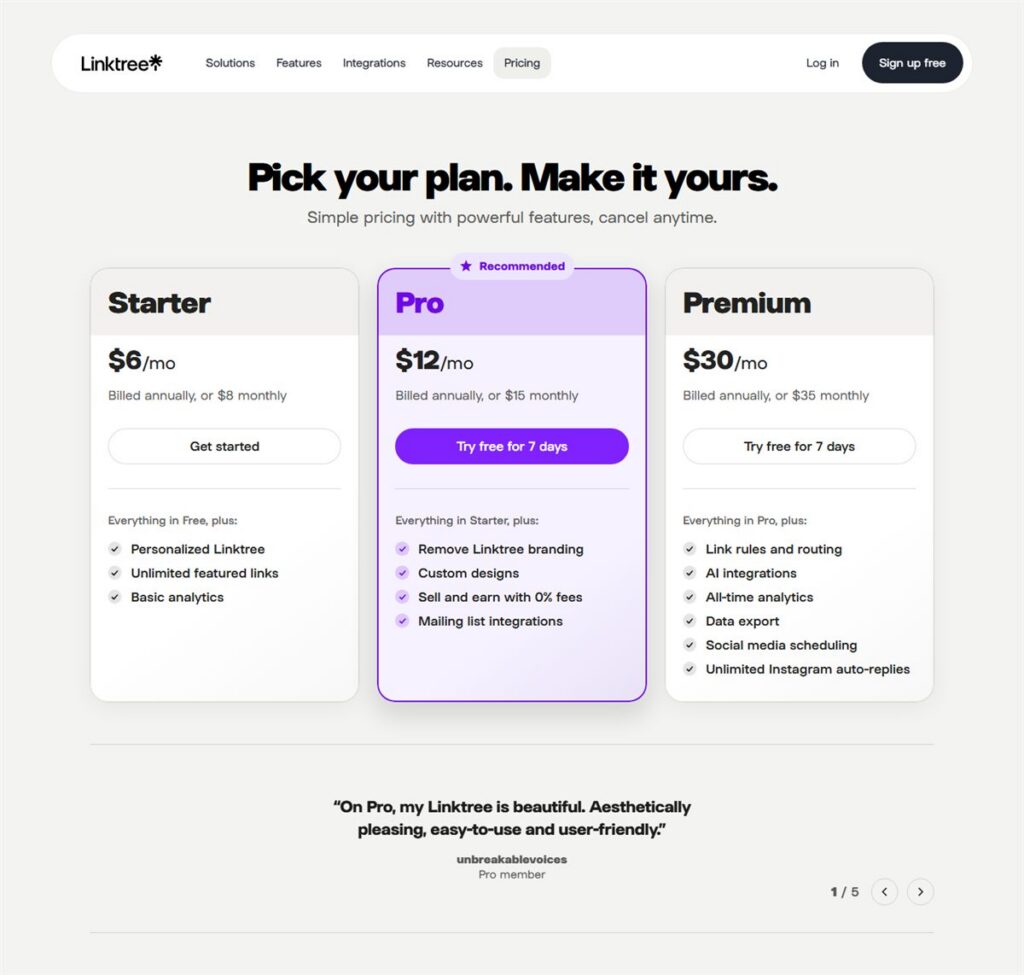
These are the USD prices published on Linktree’s pricing page, read on 21 October 2026. Prices vary by region and change often, and the page notes that coupons and regional adjustments may apply.
| Plan | Billed monthly | Billed annually (per month) | What the page highlights |
|---|---|---|---|
| Free | $0 | $0 | Unlimited links, core appearance options, basic analytics |
| Starter | $8 | $6 | More appearance controls, link scheduling, more icons |
| Pro | $15 | $12 | Advanced analytics, priority links, monetisation tools, SEO controls |
| Premium | $35 | $30 | Full analytics, commerce, marketing integrations, priority support, removable branding |
There is also a custom plan for agencies and enterprises, with team seats and dedicated support, but no public price. The page invites new users to start a free trial and cancel any time. We could not find the trial length or a refund policy on the page.
Safety and risks
Linktree is a link page, so its risk profile is much lower than a growth service. It does not follow, like or comment for you, and building a page does not require your Instagram password.
Some risks remain:
- Signing up with a social account. Use an email address if you would rather not connect your profile, and review any permissions before you approve them.
- Automation features. Auto-replies and scheduling touch your account. Instagram has said that third-party apps that generate inauthentic activity violate its rules, and that it removes fake likes, follows and comments from accounts using them, per Instagram’s November 2018 announcement. Messaging automation is a different thing from fake engagement, but keep it modest and within Instagram’s rules.
- Dependency. Your bio link points at a page you do not own. If you cancel or the service changes its terms, you need to update the link.
- Money features. If you sell through Linktree, check the fees and your local tax duties yourself.
Pros and cons
Pros
- A free plan with unlimited links.
- Quick to set up, familiar to visitors, and usable across platforms.
- Paid tiers add analytics, scheduling and email capture in one place.
- A large user base and an established company.
Cons
- Instagram has had its own multi-link feature since April 2023, which covers the basic need for free.
- Prices vary by region, and paid tiers cost more per month than many solo creators spend on tools.
- The most useful extras, such as branding removal and deeper analytics, sit on paid plans.
- Monetisation adds fees, and some of it is US only.
Who Linktree suits
Good fit: creators and small businesses who send traffic to several places, want click statistics and want one page that also works on TikTok and elsewhere. It also suits people who want to capture emails or sell small digital products from the same page (see how to turn followers into paying customers).
Probably not needed: accounts with one or two destinations. According to Social Media Today’s April 2023 report, Instagram lets you add up to five external links through Edit profile, Links, Add external link. For many people that is enough.
Alternatives
The simplest alternative is no extra tool: Instagram’s built-in links. If you want a page with more design and widgets, there are many link-in-bio builders, several with free plans. Our link in bio guide walks through free options, and the Instagram business tools roundup places them next to other tools.
For related jobs, the rest of the category is on our Content and Scheduling hub.
Linktree FAQ
Is Linktree free?
Yes. The free plan offers unlimited links, core appearance options and basic analytics, according to Linktree’s pricing page. Paid plans start at $6 a month billed annually.
Is Linktree safe to use on Instagram?
Building a link page does not need your Instagram password. The main risk comes from optional automation features, which should be used within Instagram’s rules.
Can Instagram do what Linktree does?
Partly. Instagram allows up to five links in your profile, as Social Media Today reported in April 2023. It does not offer a styled landing page, per-link analytics or email capture the way Linktree does.
Does Linktree take a cut of sales?
Its FAQ says it charges USD 0.25 per payout and that other transaction or processing fees may apply. Check the current fee details before you sell.
Does Linktree help you get more followers?
No. It organises where your followers go. Growth comes from your content, and our guide to building an Instagram following covers that.
What is the difference between Starter, Pro and Premium?
Per the pricing page, Starter adds appearance controls and link scheduling, Pro adds advanced analytics, SEO controls and monetisation, and Premium adds commerce, marketing integrations, priority support and logo removal.
Offers change. If something here is out of date, tell us on the contact page and we will correct it, as described in our editorial policy.