
 Erica
Erica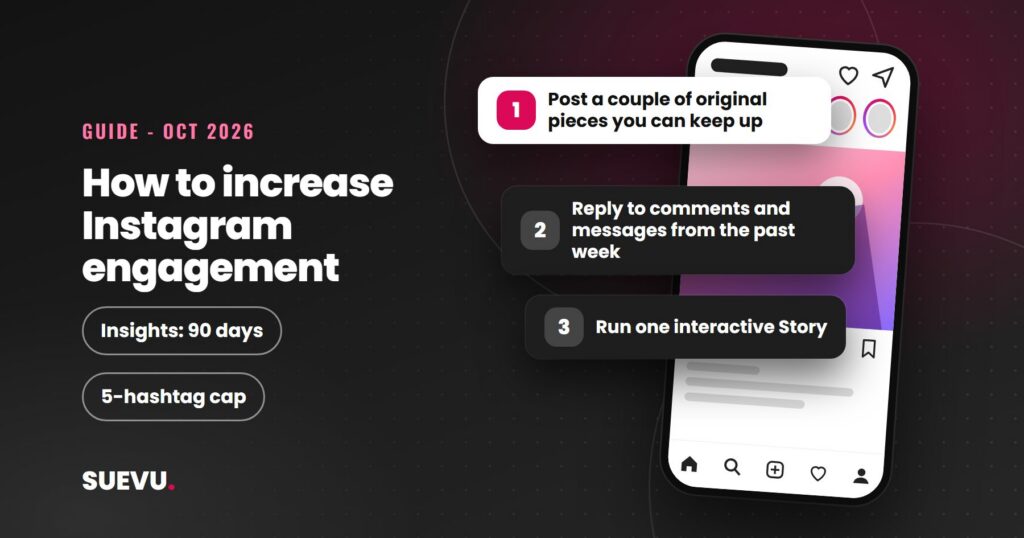
To increase engagement on Instagram, you need to know what you are measuring, then make content people react to, share and come back for. This guide covers how to measure engagement and ten steps to improve it, using what Instagram has published, read on 21 October 2026. It avoids tactics that break Instagram’s rules.
Engagement matters because Instagram’s own ranking systems predict actions like likes, shares and watch time, as explained in our guide to the Instagram algorithm. It is also a better sign of an audience that cares than follower count alone.
Quick answer: measure interactions against your reach, then work on what Instagram says it ranks: content people watch to the end, like and send to friends. Post original work, reply to the people who respond, use Stories stickers and keep hashtags to five or fewer. Do not buy engagement or join engagement pods.
Status: current as of 21 October 2026. Cost: free. Risk: bought or automated engagement can restrict your account.
What engagement is and how to measure it
Engagement is the actions people take on your content. Instagram’s insights help page defines interactions as “the number of actions people take when they engage with your content, such as likes, comments, saves and shares”. Insights are free for public (professional) accounts and cover a timeframe within the past 90 days.
Instagram does not publish one official engagement-rate formula. A common convention is:
- Engagement rate = interactions on a post divided by its reach (or by your follower count), times 100.
Pick one version and keep to it, so your own numbers stay comparable over time. We do not quote industry “average rates” here because we could not verify a current, reliable source.
How to find your numbers
- Switch to a professional (creator or business) account in your settings if you have not.
- Open your insights from your profile and choose a timeframe.
- Open a single post or Reel and tap View insights to see views, interactions and accounts engaged.
- Note average watch time for Reels, likes per reach and sends per reach, the three measures Adam Mosseri told creators to watch in January 2025.
- Compare at least ten posts. One post tells you little. For more tools, see our Instagram analytics roundup.
10 steps to increase engagement
1. Post original content that is worth watching
- Why: watch time is one of the three signals Mosseri named, and Instagram’s creator guidance says to post content you made yourself and avoid re-uploads.
- Do: open with a clear hook within the first 3 seconds, as Instagram’s creator tips suggest, and cut anything that does not earn its place.
2. Make posts people want to send
- Why: Mosseri said sends are slightly more important for reaching people who do not follow you yet.
- Do: create useful, funny or relatable posts someone would forward to a friend, such as a checklist, a how-to or a clear tip.
3. Reply to comments and messages
- Why: Instagram says your history of interacting with a person is a ranking signal in Feed, Stories and Reels.
- Do: answer comments in your own words and keep conversations going. There is no official reply deadline, so ignore claims of an exact number of hours. Our guide to managing your Instagram DMs covers the inbox.
4. Write captions that invite a response
- Why: a clear question or prompt gives people something to react to.
- Do: ask one specific question, keep the first line strong and put keywords in the caption rather than comments, because Instagram says search results are matched by text. See our guide to writing Instagram captions.
- Avoid: demands such as “like or comment to win” with a prize. Meta’s spam standard prohibits offering anything of value in exchange for engagement.
5. Use five or fewer relevant hashtags
- Why: Social Media Today reported on 18 December 2025 that Instagram will gradually limit captions to five hashtags and says fewer, more targeted tags work better than many generic ones.
- Do: choose tags that describe the post and check each one. Our guide on why hashtags stop working has a checklist.
6. Add interactive Stories stickers
- Why: Instagram says Story ranking looks at how likely you are to reply or tap through, so Stories that invite a response fit that signal.
- Do: from the sticker tray add a Poll (two answers), a Quiz (four answers, one correct), a Questions sticker (replies come to you privately) or Add Yours (people respond with their own Story), as described in Instagram’s own Stories guide.
7. Include Reels in your mix
- Why: Instagram’s creator guidance says Reels give more chances to be recommended to people who do not follow you.
- Do: use vertical video with no borders or watermarks, and keep it under 3 minutes, the limit Instagram gave for recommendation eligibility on its creators page. Our guide to the Explore page covers recommendations further.
8. Post when your followers are active, and stay consistent
- Why: Instagram says post engagement speed is a Feed signal, so reaching people while they are online helps.
- Do: with 100 or more followers, insights show the times your followers are most active. Use that instead of a generic “best time” list, and see how often to post. You can plan ahead with a guide to scheduling posts.
9. Collaborate with real accounts
- Why: Instagram’s creator guidance suggests the Collabs feature, which creates a single post shared to both accounts’ followers.
- Do: partner with accounts whose audience overlaps yours and who you would recommend anyway.
10. Review and repeat
- Why: Instagram says it cannot promise the same reach each time you post, so results vary.
- Do: every week, find your top and bottom posts by interactions and reach, note the format and topic, and make more of what works.
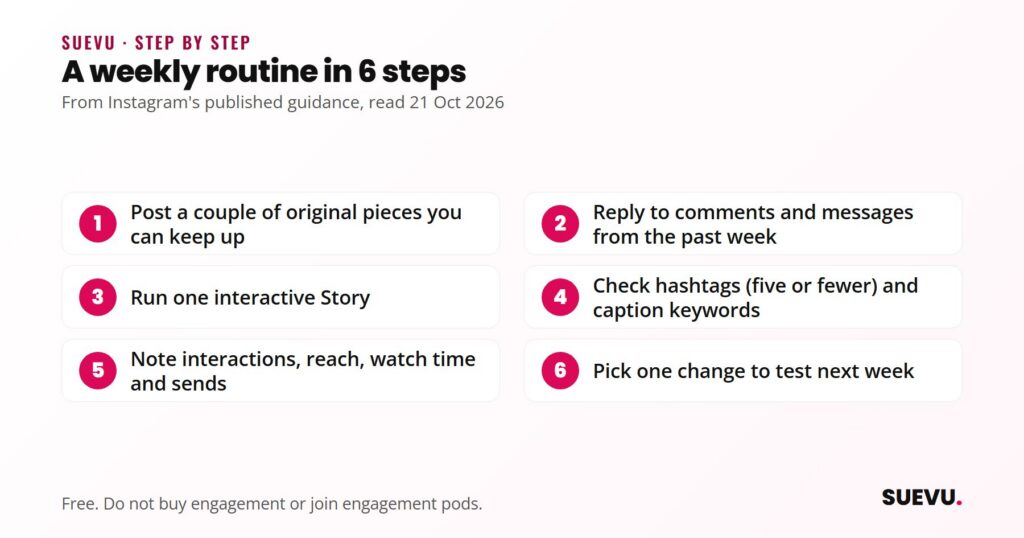
A weekly routine
- Post at least a couple of original pieces in formats you can keep up.
- Reply to comments and messages from the past week.
- Run one interactive Story.
- Check hashtags (five or fewer) and caption keywords before posting.
- Open insights and write down interactions, reach, watch time and sends for each post.
- Pick one change to test next week.
What it costs
Nothing. Everything above is built into Instagram, including insights for public accounts. Paid tools for scheduling and analytics exist and are optional. See our Instagram business tools roundup if you want them.
Safety and risks
- Buying or swapping engagement. Meta’s spam standard prohibits “selling, buying, or exchanging for engagement, such as likes, shares, views, follows, clicks”. It also bars content designed to artificially increase viewership.
- Engagement pods and groups. Instagram’s recommendation rules list coordinated comment networks intended to artificially drive engagement as low-quality content it tries not to recommend. Older advice that groups are fine is out of date, so we do not recommend them.
- Automation tools. Instagram said on 19 November 2018 that apps generating inauthentic likes, follows and comments violate its Community Guidelines and Terms of Use. Never give your Instagram password to a growth service. See our overview of Instagram automation for the risks.
- Fake followers. They do not engage, so they lower your rate, and Instagram lists purchasing likes among misleading practices it tries not to recommend.
What works and what does not
| Works | Does not |
|---|---|
| Original, watchable content | Reposting others’ Reels as your own |
| Replying and building relationships | Mass-commenting through apps |
| Five or fewer targeted hashtags | Long blocks of generic tags |
| Reading your own insights | Trusting unsourced “average rate” or “best time” claims |
Which steps suit which account
- New accounts: steps 1, 2, 5 and 7. Focus on original Reels and searchable captions.
- Small businesses: steps 3, 4 and 6. Replies and Stories stickers build trust. See turning followers into customers.
- Established creators: steps 8, 9 and 10. Use insights to refine timing and collaborations.
- Accounts with falling engagement: start with Account Status and insights, as covered in our guide to getting more likes.
Related guides
For more depth, see our Instagram tips hub and the guide to building a following.
Instagram engagement FAQ
What is a good engagement rate on Instagram?
We could not confirm a reliable current benchmark, and Instagram publishes none. Compare your own posts over time instead.
Do comments matter more than likes?
Mosseri named watch time, likes and sends as the top three signals in January 2025 and did not list comments. Comments still show interest and start conversations.
Does posting more often increase engagement?
Instagram has not published a posting-frequency rule that guarantees it. Post as often as you can keep quality up.
Are engagement pods safe?
Instagram’s recommendation rules name coordinated comment networks as low-quality content, so we advise against them.
Why did my engagement suddenly drop?
Instagram says reach varies from post to post. Check Account Status and your insights for several posts before changing your strategy.
Do hashtags still help engagement?
They help label a post, but Instagram says fewer, targeted tags beat many generic ones. We found no official figure for the effect.
Rules change often. If something here is out of date, tell us on the contact page, as described in our editorial policy.