
 Erica
Erica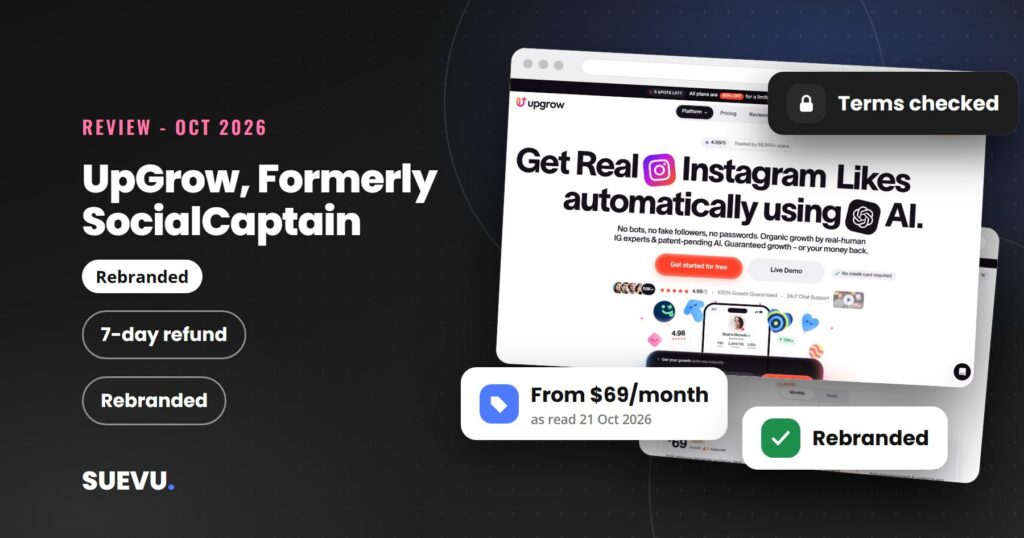
SocialCaptain, the Instagram growth service our readers asked about for years, now sends visitors to UpGrow, so this UpGrow review (formerly SocialCaptain, as far as we can tell) looks at the service that is live today. It covers what UpGrow says it does, what the plans cost on its own pricing page, and the safety questions anyone should ask before connecting an account to a growth service.
Everything below was read on 21 October 2026. We did desk research only: we did not sign up, pay or run the service, so we cannot say how well it works. Where UpGrow’s pages disagree with each other or leave something out, we say so.
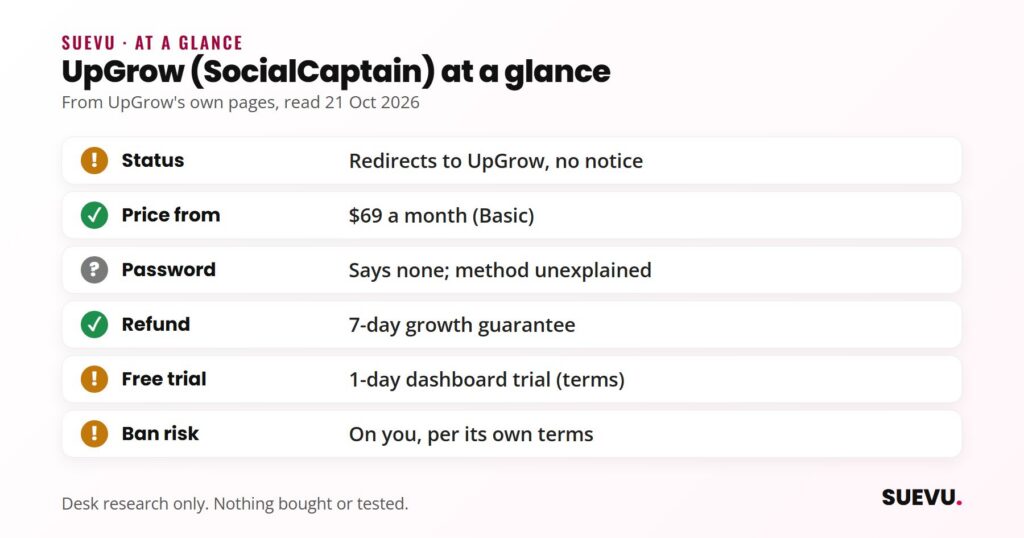
Quick answer: UpGrow is a paid Instagram growth service that says it combines ad-based promotion, light engagement and AI audience targeting, with no password needed. It offers a refund if there is no net-positive growth in the first 7 days. Its own terms say results are not guaranteed and that it is not responsible if Instagram restricts your account.
Status: rebranded. socialcaptain.com redirects to upgrow.com, but neither site states a name change. Price from: $69 a month (Basic). Safety: medium risk; read the safety section first.
What UpGrow (SocialCaptain) is
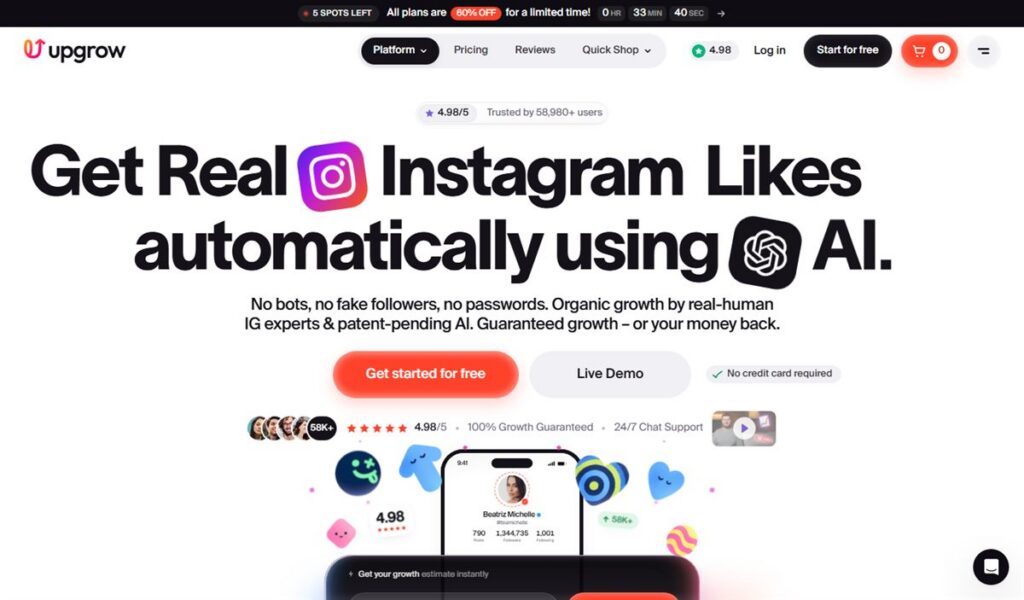
UpGrow presents itself as an Instagram growth service run by “UpGrow Agency”. Its homepage says it uses AI targeting, paid advertising and “real-human” activity to attract followers, and that you only connect your account and choose an audience. The same page claims it has helped over 100,000 users since 2016. Other sections of the page cite 58,980+ and 55,000+ users, so we treat all of these as marketing figures we cannot verify.
SocialCaptain was the older name readers knew. Our earlier review, written years ago, described an automation tool with weekly and monthly plans. That text is no longer a reliable guide, because the plans, the prices and the feature list have all changed. The sections below replace it. The service sits in our Growth Services category.
Is SocialCaptain now UpGrow?
Here is what we could confirm. On 21 October 2026, the old SocialCaptain address returned a permanent redirect (HTTP 301) to the UpGrow website. That is strong evidence that the old domain now belongs to UpGrow’s operators.
Here is what we could not confirm. Neither UpGrow’s homepage, pricing page, blog nor terms mention SocialCaptain or any former name, and a search found no press release announcing a name change. A few third-party tool listings connect the two names, but they are aggregator pages, not proof. We call it a rebrand because of the redirect, and we state the limit so you can judge for yourself.
One warning: a different company called UpGrow also operates a marketing agency site on another domain, selling SEO and paid ads to businesses. It is not the Instagram service reviewed here.
How it works
According to UpGrow’s FAQ, the steps are to connect your Instagram account, customise your audience and adjust your growth settings. You can filter by location, interests, age, gender and language, or let the AI choose. The homepage says the platform “uses a combination of paid advertising, nano-interactions, niche data clusters, and real-human activity” to drive growth.
Two things are not explained. UpGrow does not say how the account connection works technically, only that it involves “no passwords”. And it does not spell out which actions are carried out on your account, such as follows, likes or comments, so you cannot tell from its pages how much of the growth comes from ads and how much from activity on your profile. Ask before you buy. Our guide to Instagram automation explains why activity-based tools carry action-block risk.
Features
Features listed on UpGrow’s homepage and pricing page (for the wider field, see our guide to Instagram growth services and followers apps roundup):
- Audience targeting by location, niche and interests, age, gender, language and hashtags, plus automatic targeting.
- AI profile optimisation and AI competitor targeting (Pro and above).
- UpGrow Boost, listed as beta (Pro and above).
- A live dashboard showing growth, and PDF reports on the top plan.
- A viral content library and a dedicated account manager (Turbo).
- AI image posts, 15 a month on Pro and 30 on Turbo, marked beta.
- Live chat support, and bulk discounts for agencies.
- One-time orders for likes, followers, views and comments, with likes starting at $1.99 and a 30-day money-back guarantee, per the pricing page.
UpGrow pricing
Prices from UpGrow’s pricing page, read on 21 October 2026. Monthly subscriptions, cancellable from billing settings.
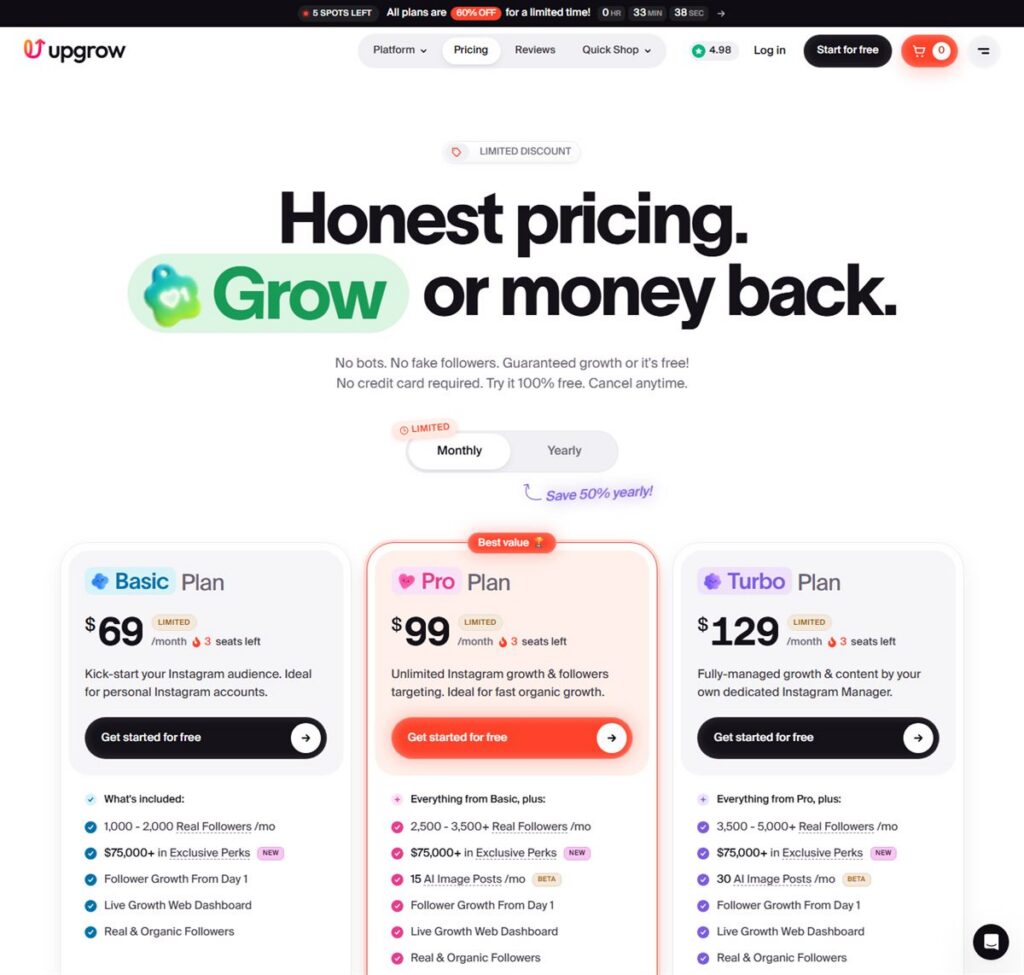
| Plan | Price per month | Followers per month (company claim) | Highlights |
|---|---|---|---|
| Basic | $69 | 1,000 to 2,000+ | Targeting filters, live dashboard, 24/7 growth |
| Pro | $99 | 2,500 to 3,500+ | Adds AI competitor targeting, AI profile optimisation, smart auto targeting, UpGrow Boost |
| Turbo | $129 | 3,500 to 5,000+ | Adds dedicated account manager, viral content library, PDF reports |
The follower ranges are marketing claims on the page, not independent results. The page also shows conflicting discounts: a banner says all plans are 60% off for a limited time, while the plan cards show 50% off, with a “save 50% yearly” option. It does not explain the difference, so confirm the amount shown at checkout. We saw no weekly plan, unlike the old SocialCaptain. For another managed growth service, see Kicksta (our review).
The refund terms matter. UpGrow’s FAQ and terms describe a “Real Growth Guarantee”: if you do not see net-positive growth after your first 7 days, you may get a full monthly refund. Accidental charges may be refunded if requested within 24 hours, for subscriptions. The terms mention a 1-day free trial of the dashboard, and add that starting growth requires a paid subscription. The homepage says “no credit card required” for starting free, so check what the free step includes. For a no-cost comparison, see our free Instagram followers services roundup.
Safety and risks
This is where to be most careful. UpGrow says it is “fully compliant with Instagram’s terms of service”, that it does not do spam or follow-for-follow, and that it has “no bots, no fake followers, no passwords”. Those are the company’s statements, and we cannot verify them.
Its own terms are more cautious. They say UpGrow is “not responsible if your account is terminated, banned, removed, or blocked by Instagram”, that platforms can change their rules or APIs in ways that affect the service, and that the expected number of followers “is not guaranteed”. They also recommend not running other growth services alongside it.
For context, Instagram has said that third-party apps that artificially grow an audience violate its Community Guidelines and Terms of Use. In its November 2018 announcement, it said it would remove inauthentic likes, follows and comments from accounts using such apps, and that accounts which keep using them may see their experience affected. In the US, the Federal Trade Commission’s August 2024 final rule bans buying fake indicators of social media influence, such as bot followers, when the buyer knew or should have known they were fake and used them to misrepresent their influence for a commercial purpose. That does not describe UpGrow’s own claims, but it is a reason for business accounts to be careful about what any service delivers.
Practical advice:
- Never type your Instagram password into a third-party site, and check how any “connect” step works before approving it.
- Ask support exactly which actions run on your account.
- Use one growth service at a time, as UpGrow’s own terms advise.
- Judge it by the quality of followers, not the count, and watch engagement during the 7-day guarantee window.
Apply the same questions to any other managed service, such as Nitreo (our review). If you would rather avoid the risk, see building an Instagram following without paying.
Pros and cons
Pros
- Clear plan table with three tiers and monthly billing.
- A stated 7-day refund guarantee in both the FAQ and the terms.
- Targeting by location, interests, age, gender and language.
- States that it does not ask for your Instagram password, and its terms repeat that.
Cons
- Which actions it takes on your account is not explained.
- Growth numbers are marketing claims, and the user counts on the page differ.
- Conflicting discount banners, and no weekly option.
- Its terms put the risk of a ban on you.
- No name-change notice for existing SocialCaptain users, as far as we could find.
Who UpGrow suits
It may suit people who accept a paid, hands-off growth service, understand the Instagram-rules risk and want to test it within the 7-day guarantee. It is a poor fit if you need predictable results, cannot risk an action block on a valuable account, or want full detail on how growth is produced. If you are only after a quick bump on a budget, no-cost options exist, with their own limits.
Alternatives
The same category has other managed growth services. Our reviews of Nitreo, Kicksta and DigiSMM use the same questions, and Upleap (our review) is another managed service that was in the old SocialCaptain comparison.
The organic route has no rules risk, and the guide linked in the safety section is the place to start.
Another one we reviewed: our Like4Like review (likes only).
UpGrow and SocialCaptain FAQ
Did SocialCaptain become UpGrow?
The old SocialCaptain website now redirects to UpGrow. Neither company page states a name change, so we describe it as a probable rebrand.
How much does UpGrow cost?
Basic is $69 a month, Pro $99 and Turbo $129, per UpGrow’s pricing page on 21 October 2026. The page also shows discount banners of 50% and 60% that conflict.
Does UpGrow need my Instagram password?
It says no. Its homepage says “no passwords” and its terms say it will never ask for your login credentials. It does not explain how the connection works, so ask support.
Is UpGrow safe for my account?
Nobody can promise that. UpGrow says it follows Instagram’s terms, but its own terms say it is not responsible if Instagram restricts or bans your account.
Is there a refund?
UpGrow offers a full monthly refund if you see no net-positive growth after the first 7 days, and refunds for accidental charges requested within 24 hours.
Is there a free trial?
The terms describe a 1-day trial of the dashboard, and say growth needs a paid plan. The homepage says no credit card is required to start. The details differ, so check at sign-up.
Offers change. If something here is out of date, tell us on the contact page and we will correct it, as described in our editorial policy.