
 Erica
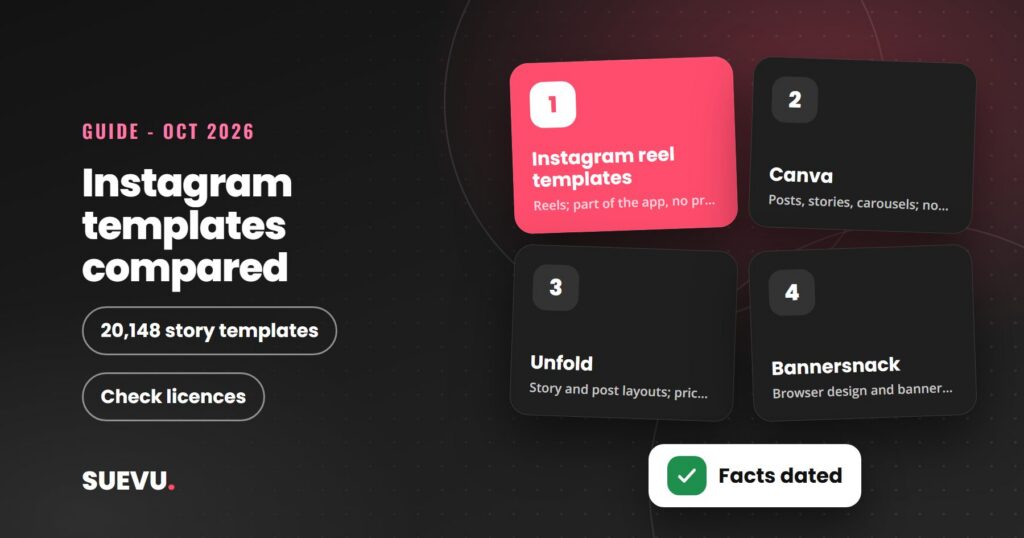
Instagram templates are the quickest way to keep your posts, stories and reels looking consistent without a designer. This guide covers four places to get them: Instagram’s own reel templates, Canva, Unfold and Bannersnack, based on what each provider’s own pages said on 21 October 2026.
We do desk research only. We did not sign up for, pay for or use any of these tools, so nothing here is a hands-on test. Where a pricing or licensing page would not load, we say so instead of repeating figures from older versions of this article.
Quick answer: For still posts and stories, Canva is the biggest template library of the four, and its story templates page showed more than 20,000 designs. For Instagram-native video, the free reel templates inside Instagram itself match the music and timing of an existing reel. Unfold is a mobile app for story and post templates, and Bannersnack is a browser design tool.
Cost: free to start with each. We could not confirm current paid prices for Canva, and Unfold and Bannersnack do not show prices on the pages we read. Licensing: read each provider’s terms before using templates commercially.
Why use templates
Templates solve three common problems: time, consistency and cost. A ready-made layout lets you swap in your own photos, text and colours in minutes, so your feed keeps one look even when different people create the posts. That matters once you plan a grid ahead, which our guide on how to schedule Instagram posts shows how to do. If you design for how posts look on screen, our guide to Instagram dark mode shows how to switch the app to a dark appearance.
A template is only a starting point. Your photography, captions and ideas still decide whether a post works. See our tips on how to take Instagram photos and how to write good captions.
Instagram’s own reel templates
Instagram has templates built in, and they are free to use. According to Instagram’s help page on using a reel template, you can create a reel that matches the music and timing of an existing reel. You open the Templates section in the Reel creator, browse for a template, and replace the original clips with your own photos or videos. The page says the feature is not available on computers. For video apps outside Instagram, see our list of video makers for Instagram.
Anyone can also make templates. Instagram’s page on creating reel templates says reels can be shared as templates automatically, letting others use your music, clip length and effects with their own media. To qualify, a reel must have music and at least three clips averaging under five seconds each.
What to know
- Type: video templates for reels, not still-post layouts.
- Cost: no price on the help pages; the feature is part of the app.
- Where: iPhone and Android apps; not on computers.
Canva
Canva is a browser and app design tool. Its Instagram post page describes a drag-and-drop Instagram post creator with templates in Instagram post dimensions, plus stock images, videos, icons and animated stickers. The page says you can share a design straight to Instagram once you connect your Instagram account, and start a design on the mobile app and finish it on desktop.
Its Instagram stories page lists free story templates, background templates and highlight cover templates, and showed 50 of 20,148 results on the day we looked. Canva’s own template collections include categories such as carousel posts, how-to posts, sale posts and holidays.
What to know
- Free and paid: the page says that with Pro you unlock more, including Brand Kit for fonts and colour schemes and planning a content calendar. Canva’s pricing page blocked automated access, so we could not read current prices or what the free plan includes. Older versions of this article quoted prices, and we have dropped them.
- Collaboration: the page says you can collaborate with your team in real time.
- Licensing: we could not open Canva’s content licence page, so we cannot say what is allowed commercially with free or paid content. Read it before using templates for client work or products.
Unfold
Unfold is a mobile app from Squarespace for creating social content. Its site says you can create content from templates, edit photos and videos with filters and effects, plan your Instagram feed in advance and build a bio site for your link in bio. It is available on iOS and Android.
What to know
- Templates: the site advertises hundreds of templates. It does not say how many the free version includes.
- Plans: a free version, Unfold + (adds story and post templates and premium editing tools) and Pro (a Brand Kit for colours, logos, fonts and stickers, unlimited app access and desktop asset management), each billed monthly or annually. The page shows no prices, so check the app store for current rates.
- Related: for link in bio options, see our guide to Instagram link in bio tools and the Linktree review.
Bannersnack
Bannersnack describes itself as a free HTML5 banner maker, and its premium page lists Individual plans for freelancers and small businesses (full access to premium content for one user) and Team plans that add multiple users, collaboration tools and white-labelling. It links to Instagram story and Instagram post makers.
What to know
- Free plan: there is a sign-up button, but the page does not describe free plan limits.
- Prices: not shown on the page we read.
- Templates: the page links to a templates section, but did not list the templates or give a count. An earlier version of this article claimed more than 4,000, and we could not confirm that.
Tools we could not read
Our earlier article also featured Shakr, a video ad tool. Shakr’s website blocked automated access when we tried, so we could not confirm what it offers or costs today and have left it out instead of repeating old prices. Adobe Express blocked us in the same way, so we did not review it. For the bigger toolkit, see our roundup of Instagram business tools.
Quick comparison
| Source | Best for | Where it runs | Prices on pages we read |
|---|---|---|---|
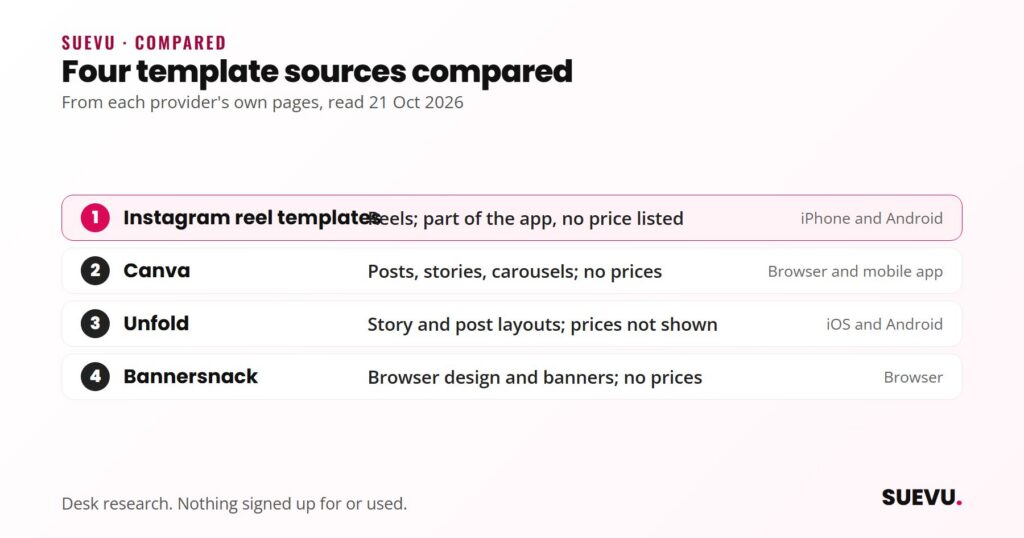
| Instagram reel templates | Reels that follow a trending format | Instagram app (iPhone and Android) | None listed; part of the app |
| Canva | Posts, stories, carousels and cover images | Browser and mobile app | Could not read |
| Unfold | Story and post layouts on a phone | iOS and Android | Not shown |
| Bannersnack | Browser-based design and banners | Browser | Not shown |
This table reflects pages read on 21 October 2026. Plans and limits change, so confirm them on the provider’s site.
Safety, licensing and risks
Templates themselves carry little account risk, because you create the design off Instagram and upload it. Do not give any design tool your Instagram password, and avoid sites that ask for it in return for templates.
- Licensing: free and paid template content can come with different terms, and some stock content may be restricted. We could not read the licence terms of any of these four, so check each licence before commercial use or reselling designs.
- Sameness: popular templates are used by many accounts, so customise colours, fonts and photos to keep your look distinct.
- Reel templates and privacy: Instagram’s page says reels can be shared as templates automatically if they qualify, which means others may reuse your music, clip lengths and effects. Check your settings if you do not want that.
- Scheduling limits: designs you finish in a design tool still need publishing. Instagram’s scheduler has its own limits, covered in its help page.
Pros and cons of templates
Pros
- Fast to produce and easy to repeat.
- A free way to start with every source above.
- A consistent look across posts, stories and covers.
Cons
- Look-alike designs when many accounts use the same layouts.
- Licensing questions we could not settle from the pages we read.
- Paid features and prices are hard to compare, since some pages do not list them.
Which source suits you
- Reels creators: Instagram’s own templates, since they are built into the app.
- Beginners wanting posts and stories on desktop and phone: Canva, for its large template collection.
- Phone-first story designers: Unfold.
- People who want a browser-based design tool with team plans: Bannersnack.
More tools in this area are in our Content & Scheduling category.
FAQ
Are Instagram templates free?
Instagram’s reel templates are part of the app. The design tools each have a free way to start, but paid features and limits vary, and we could not read every price.
Can I use templates for my business?
Possibly, but it depends on each provider’s licence. We could not read those terms, so check them first.
What size should an Instagram template be?
Canva’s page says its templates come in ideal Instagram post dimensions. We did not confirm exact sizes from Instagram’s own pages, so check them in your tool.
Can I use templates on a computer?
Instagram says reel templates are not available on computers. Canva and Bannersnack run in a browser.
Did you test these tools?
No. We did not buy or test any of them. This guide reports what the providers’ pages said on 21 October 2026.