
 Alizabeth Swain
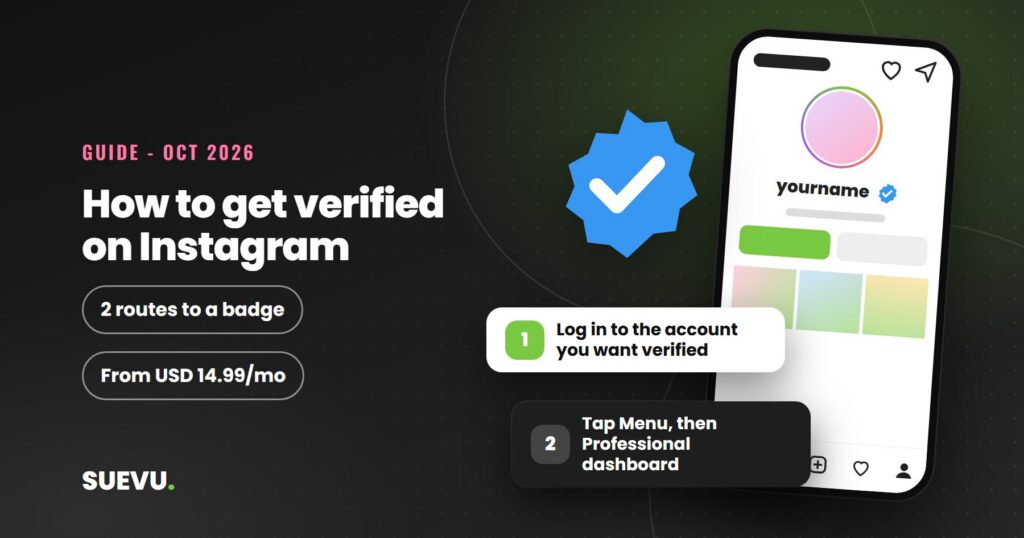
If you want to know how to get verified on Instagram, there are now two routes: subscribe to Meta Verified, or request the verified badge as a public figure, celebrity or brand. This guide explains both exactly as Instagram and Meta describe them in their own pages, read on 21 October 2026, and it covers the scams that target people who want a blue tick.
One rule first: nobody can promise you a badge. Meta decides, and its pages say that meeting the requirements does not guarantee approval. Our earlier version of this page, written in 2019, described a process that has since changed, so treat older guides with care. If you are still building a presence first, see our guide to becoming an Instagram influencer or browse the other Instagram guides.
Quick answer: pay for Meta Verified if you want a badge and you meet its eligibility rules (adult, government ID, eligible profile, available in your country). Or, if you are a public figure, celebrity or brand, request verification in the app for free. Never pay a third party for “verification”.
Status: current as of 21 October 2026. Cost: free request, or a paid Meta Verified subscription (see the pricing table). Risk: verification scams and third-party “blue tick” sellers; Instagram says attempting to verify through a third party can lose you the badge or the account.
What the verified badge means
Instagram’s help page on verified badges says the badge now means Instagram has confirmed the account is the authentic presence for that person or brand. It says that previously the badge also required the person or brand to be notable and unique, and that you may still see accounts verified under the earlier rules.
The same page says the badge is a tool to help people find real accounts, and that it is not a symbol of importance, authority or expertise. Instagram says it does not use the badge to endorse public figures or brands.
The two routes to a badge
Instagram’s requirements page lists two ways to get the badge.
- Subscribe to Meta Verified. A paid subscription with eligibility criteria of its own.
- Apply for the verified badge if you are a public figure, celebrity or brand and meet the account and eligibility requirements.
If you already have a badge from the earlier requirements, Instagram says you can still subscribe to Meta Verified.
How to request the verified badge
The route below is for public figures, celebrities and brands, and is described on Instagram’s “Request a verified badge” help page for the iPhone app. Menu names can differ by app version and device, so follow what you see on screen.
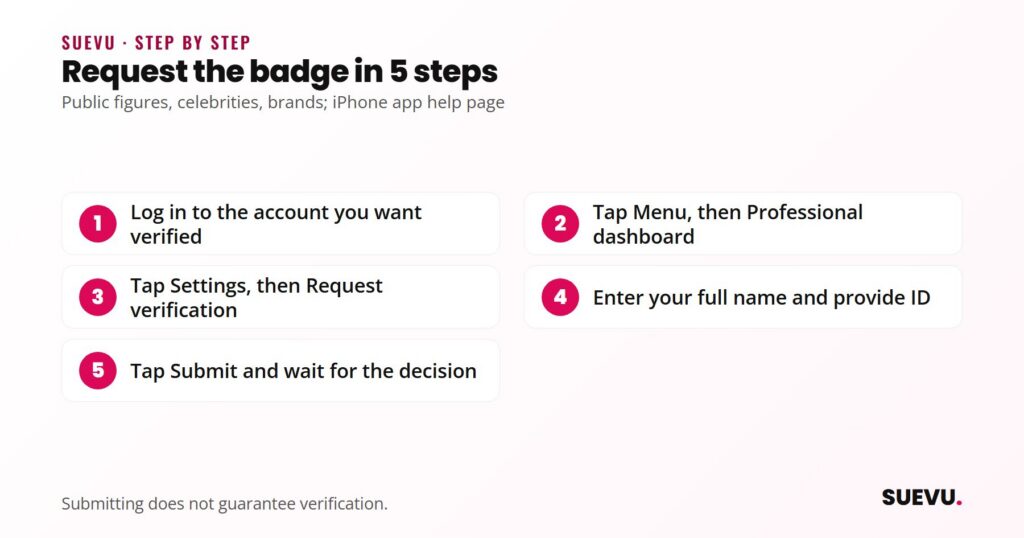
- Log in to the account you want verified.
- Go to your profile (tap your profile picture at the bottom right).
- Tap Menu at the top right.
- Under Your insights and tools, tap Professional dashboard, then Settings.
- Tap Request verification.
- Enter your full name and provide the required identification. The help page gives a government-issued photo ID or official business documents as examples.
- Follow the on-screen instructions and tap Submit.
Keep these points in mind, all from Instagram’s help pages:
- Submitting a request does not guarantee verification, even if you are eligible.
- Applying several times before you get a decision will cancel your application.
- Once verified, you may not change your username, and verification cannot be transferred to another account.
- Verifying on Instagram does not verify you on Facebook.
Check your username first. Our guide to choosing an Instagram username helps you pick one you will not want to change.
Verified badge requirements
For accounts that are not subscribed to Meta Verified, Instagram’s requirements page says the account must follow the Terms of Use and Community Standards and also be:
- Authentic: a real person, registered business or entity.
- Unique: the unique presence of that person or business. Only one account per person or business may be verified, with exceptions for language-specific accounts. General interest accounts are not verified.
- Complete: public, with a bio and profile photo, and active when you apply.
- Notable: a well-known, highly searched-for person, brand or entity. Instagram says it reviews accounts featured in multiple news sources and does not count paid or sponsored media content.
The “verified badges” page describes the badge as confirming authenticity, while the requirements page still lists notability for the free route. Both are Instagram pages read on the same day, so we report both and cannot say how they are weighed in practice. Instagram does not publish a follower number; to grow a real audience, see our guides on building an Instagram following and the Instagram algorithm.
Meta Verified: the paid subscription
Meta describes Meta Verified as a subscription for creators and businesses. Benefits it lists include the verified badge, impersonation protection and enhanced support. Meta notes that 24/7 chat or email support may not be available to all subscribers at this time, and that features, availability and pricing vary by region and app.
Instagram’s Meta Verified eligibility page says that to subscribe you need to:
- Be at least 18, or the age of majority in your country.
- Be in a country where Meta Verified is available.
- Have an eligible Instagram or Facebook profile (personal or professional creator).
- Have a government-issued photo ID.
- Not exceed the number of profile changes allowed in a set period before applying (for example name, picture, username).
- Agree to the Meta Verified terms and follow Instagram’s Terms of Use, Facebook’s terms and the Community Standards.
For Instagram, the profile also needs to be personal or creator type, may need a name and picture that meet Meta’s naming standards, needs Advanced Protection turned on, and must meet minimum activity requirements. Meta’s page adds that you may be asked for ID and, in some regions, a selfie video, and that after verification you may not be able to change your username or date of birth without applying again.
Business accounts are covered by a separate Meta Verified for businesses programme, which we did not review.
Meta Verified pricing
These are the creator plan prices on Meta’s page, read on 21 October 2026. Meta says plans and prices can vary by region, app and account, and that you can see your local price by starting the subscription process. The page also mentions a lower web price for Standard and has a FAQ with older figures, so check the in-app price before you pay.
| Plan | Listed price | Where to sign up |
|---|---|---|
| Standard | USD 14.99 per month | Web or mobile app |
| Plus | USD 49.99 per month | Mobile app only |
| Premium | USD 149.99 per month | Mobile app only |
| Max | USD 499.99 per month | Mobile app only |
Meta says the subscription renews automatically. Its page also notes that Meta Verified features are now available in Meta One, a newer subscription, so the offer may keep changing.
What happens after you apply
On the Instagram page what happens when you apply, Instagram says that once it reviews your request you will get a notification in Activity up to 30 days after applying. If a request is denied, you can submit a new one after 30 days.
The same page says Instagram can remove a badge at any time, and may take away your badge or disable your account if you:
- advertise, transfer or sell your verified badge,
- use your profile picture, bio or name to promote services or activities that break the Community Standards or Terms of Use,
- try to verify your account through a third party,
- switch your account between public and private too many times, or
- give false or misleading information during verification.
Verification scams to avoid
Because many people want the badge, scammers target them. Instagram’s page says you should not try to verify through a third party, and that Facebook or Instagram may reach out to you for verification, with a link to learn how to check such outreach is authentic. Use these rules.
- Never pay anyone to “get you verified”. Sellers of blue ticks, whether by direct message or website, are the third party Instagram warns against. We do not recommend or link any such service.
- Never share your password. A genuine request asks for your name and ID inside the app, never your Instagram password.
- Be cautious with emails and DMs. Messages that say you are eligible and must submit a form quickly deserve suspicion. When unsure, go to your own app settings instead of clicking.
- Check where you pay. Meta Verified is bought through Instagram or Facebook, as Meta’s page describes, not through a stranger’s link.
- Do not upload ID to unknown sites. Only provide it inside the official in-app flow.
If you have given away your password, change it and secure the account. Our guide to recovering a hacked Instagram account covers the steps.
Pros and cons
| Pros | Cons |
|---|---|
| Shows the account is the authentic one for a person or brand | No approval is guaranteed on either route |
| Meta Verified lists impersonation protection and support | Meta Verified is a recurring paid subscription |
| The free request costs nothing | You cannot change your username after verifying |
| Applying is done inside the app | Breaking the rules can cost you the badge |
Which route suits whom
- Creators who are not widely known: Meta Verified is the route with published, checkable requirements. Meta describes it as a paid subscription for creators.
- Well-known public figures and brands: the free request may fit if you meet the notability criteria. Features in multiple news sources count, paid media does not.
- Brands unsure about paying: consider whether the badge is worth a monthly fee and whether you can keep to the profile rules.
- Anyone tempted by a “buy a blue tick” offer: do not. See the scam section.
If you are not verified
Instagram’s page on what happens after you apply says that without a badge you can still show you are authentic, for example by linking to your Instagram from your official website or other social profiles. A complete profile helps people trust it. Our guides to growing a real audience are linked above. If you are tempted by shortcuts, read our growth services reviews, and note that Instagram says third-party verification can cost you the account.
Instagram verification FAQ
How do I request verification on Instagram?
If you are a public figure, celebrity or brand, go to your profile menu, then Professional dashboard, Settings and Request verification, enter your full name and the ID Instagram asks for, then submit. Menu names vary by app version.
How much does Meta Verified cost?
Meta’s page lists creator plans from USD 14.99 per month (Standard) up to USD 499.99 per month (Max), varying by region and app. Check the price in your app.
How long does verification take?
Instagram says you will get a notification in Activity up to 30 days after applying for the free badge. We found no official timing for Meta Verified.
What if my request is denied?
Instagram says you can submit a new request after 30 days. Applying several times before a decision cancels your application.
Can I buy a blue tick from someone?
No. Instagram says attempting to verify through a third party, or advertising, transferring or selling a badge, can lead to losing the badge or the account.
Do I need lots of followers?
Instagram does not publish a follower number. For the free route it lists being authentic, unique, complete and notable. Meta Verified lists age, ID, profile and activity rules instead.
Rules change often. If something here is out of date, tell us on the contact page, as described in our editorial policy.