
 Grace Sullivan
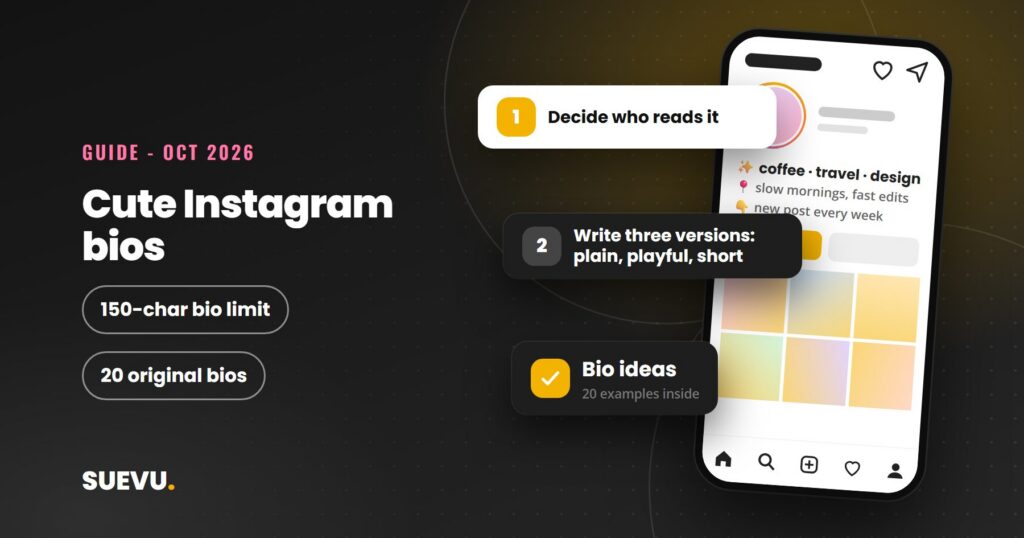
Cute Instagram bios are short, friendly and easy to read, and you only get 150 characters to write one. This guide shows how to build a cute Instagram bio step by step, with original example bios you can adapt, plus a few tidy-up tips for the rest of your profile. Instagram’s own help pages, read on 21 October 2026, are the source for the limit and the editing steps.
Our earlier version of this page was a 2019 list of brand profiles. Those profiles change all the time, so this version gives you a method and your own wording instead. For more profile and caption guides, see our Instagram tips section.
Quick answer: write one clear line about who you are, one cute or playful detail, and one next step, in 150 characters or fewer. Edit it from Edit profile, then save. Keep it readable on a small screen and use emojis sparingly.
Status: current as of 21 October 2026. Cost: free. Risk: low; avoid copying other people’s lines and never share your password with a bio or font website.
The bio limit and how to edit it
According to Instagram’s help page on adding a bio, you can write a bio of up to 150 characters, and anyone can see it. Treat spaces and punctuation as characters. We could not find a statement on that page about how emojis or line breaks are counted, so check the live counter in the app as you type.
The help page gives these steps on a computer. The app wording can differ slightly between versions.
- Go to your profile.
- Choose Edit profile.
- Open the Bio text box and write your bio.
- Submit to save your changes.
Instagram’s editing your profile section also lists separate help articles for your profile picture, name, username and website, so you can change each without touching the bio.
A simple formula for a cute bio
Cute does not mean long. With 150 characters, three small parts do most of the work.
- Who you are: your name, role, hobby or what the account is about.
- The cute detail: something warm or playful, such as a favourite snack, a pet, a small joke or a mood.
- What to do next: follow, shop, say hello, or check the link.
Then add one or two emojis at most, so the text still reads clearly. Short lines separated by line breaks look tidier than one long sentence.
20 original cute bio examples
These were written for this page. Replace the brackets with your own details, and change the wording so it sounds like you. Always check the character count after you edit.
Personal accounts
- Coffee first, then everything else. Sharing small joys from [city].
- Collecting sunsets and good playlists. Say hi, I am friendly.
- [Name] here. Plant mum, tea lover, professional napper.
- Soft heart, loud laugh, a camera roll full of snacks.
- Making tiny memories and photographing most of them.
- Dog photos, bad puns and the occasional good day.
Creators and small shops
- Handmade [product] made with love in [place]. Orders open on Fridays.
- [Name] | cosy home ideas and small DIY wins. New post every [day].
- Baking happy things in [city]. Tap the link to order a box.
- Illustrations with a gentle side. Prints and stickers below.
- Your friendly [job title]. Quick tips, kind words, no stress.
- Making [craft] for cosy corners. Custom orders welcome.
Very short bios
- Soft life, strong coffee.
- Pastel things and good vibes.
- Little joys only.
- Sunshine in a sweater.
- Stay cosy, snack often.
- Dreamer, doer, dessert fan.
- Made with love and glitter.
- Tea, books, repeat.
That is 20 in total. If a line you like looks familiar, do not assume it is free to reuse. A distinctive line from a song, film or another creator’s bio is better avoided, so adapt the idea or write your own.
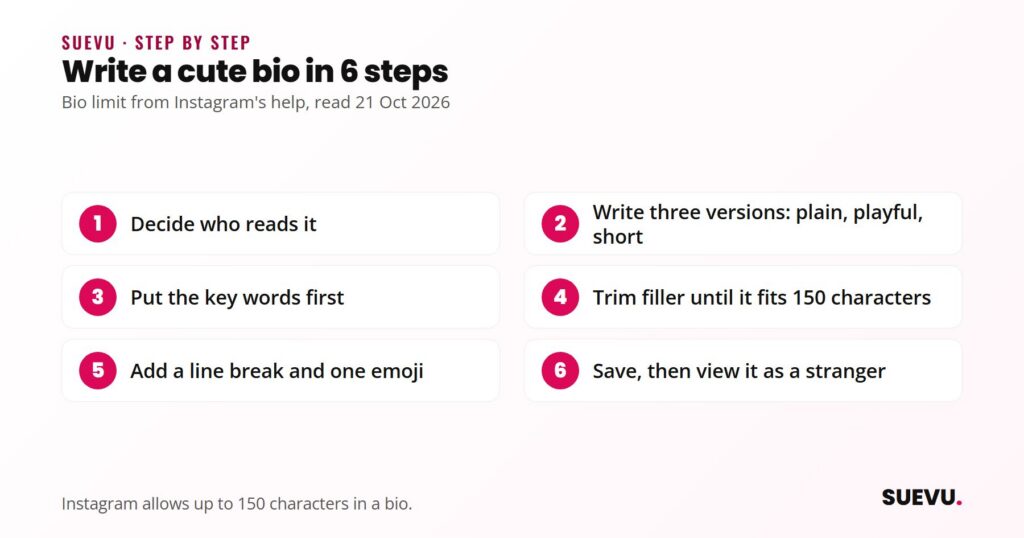
How to write yours in 6 steps
- Decide who reads it. A bio for friends can be silly. A bio for customers should say what you offer in the first few words.
- Write three versions. One plain, one playful, one very short. Read them out loud and keep the one that sounds like you.
- Put the key words first. Anyone can see your bio, so lead with what matters most.
- Trim. Remove filler such as “just”, “very” and repeated words until the count fits.
- Add a line break and one emoji. Check the result on your phone, since emojis can look different between devices.
- Save, then view your profile as a stranger. Does it say who you are and what to do next? If not, edit again.
Also useful: how to get verified on Instagram.
Make the rest of your profile match
The bio is only one part of the first impression. A few other things change how cute and clear a profile feels.
- Profile picture: a clear, close crop is easier to recognise at small size. This is our own judgement, not an Instagram rule.
- Name and username: these are separate fields. Our guide to choosing an Instagram username covers the handle.
- Link: use the website field for your most important page. See our guide to an Instagram link in bio if you need to share several links.
- Highlights: Story highlights sit under your bio on the profile page. Use short, tidy titles.
- Captions and hashtags: a cute bio works best with matching posts. See how to write good Instagram captions and how to find trending hashtags.
Safety and copyright
- Fancy-font and symbol websites. Many free sites turn your text into styled characters you paste into your bio. They are optional. A text-style site has no reason to ask for your Instagram password, so never enter it. Services that ask for your login to run actions on your account can break Instagram’s rules and put the account at risk.
- Styled text may not read well. Some styled characters can show as empty boxes on some devices, and we found no Instagram guidance on how they work with assistive tools. If readability matters, keep the main words in plain text.
- Do not copy. Copying a whole bio from another account is poor form, and lifting lines from songs, books or brands can cause trouble. Write your own.
- Do not impersonate. Never copy another person’s name and photo into your profile.
- Personal details. Instagram’s help page says anyone can see your bio, so leave out your address, phone number and anything you would not put on a public sign.
Do and do not
| Do | Do not |
|---|---|
| Say who you are in the first few words | Fill all 150 characters with emojis |
| Use short lines and one small joke | Copy another account’s bio |
| Check the live character count as you type | Share your password with a bio or font website |
| Update the bio when your offer or mood changes | Post private contact details |
Which style suits which account
- Personal accounts: playful and warm, with one real detail about you.
- Small shops and creators: a clear product line first, then a cute touch and one action.
- Brands and professional accounts: cute can still work, but state the service plainly before the joke. Our guide to becoming an Instagram influencer covers the wider profile.
- Accounts that want collaborations: make your niche obvious. See how brands find Instagram influencers.
Related guides
The Instagram tips section collects our guides on profiles, captions and growth.
Cute Instagram bios FAQ
How many characters can an Instagram bio have?
Instagram’s help page says up to 150 characters.
How do I change my Instagram bio?
Go to your profile, choose Edit profile, edit the Bio box and save. The help page gives these steps for a computer, and the app is similar.
Can I use emojis in my bio?
Yes, and they add personality, but we found no official rule on how they count toward the limit. Use a few and check the counter.
Can I copy a cute bio I saw?
It is better to adapt the idea in your own words. Copying a whole bio is poor form, and distinctive lines from songs or brands are best avoided.
Do I have to use a special font?
No. Special-font sites are optional, and styled text may display differently on other devices. Never give them your password.
How often should I update my bio?
Whenever your offer, link or focus changes. There is no official schedule.
Instagram changes its app often. If something here is out of date, tell us on the contact page, as described in our editorial policy.
Further reading
- Instagram Help Center: Add a bio to your Instagram profile (read 21 October 2026)
- Instagram Help Center: Editing your profile (read 21 October 2026)