
To promote your business on Instagram, set up a professional account, post content your customers care about on a steady schedule, track what works, and, if you want to reach more people, use Instagram’s own boost and ad tools. This guide covers each step, using Instagram’s Help Center pages read on 21 October 2026, and explains why we do not treat buying followers as a promotion tactic.
Quick answer: switch to a business (or creator) account, finish your profile, post consistently, review Instagram Insights, and start small. Paid promotion is optional: Instagram lets you boost a post by choosing a goal, audience, daily budget and duration, and the ad runs after it is reviewed and approved.
Status: steps checked on 21 October 2026. Cost: organic promotion is free; boosting and ads cost whatever budget you set. Note: in the iOS app an Apple service fee of 30% may apply to ad funds, per Instagram.
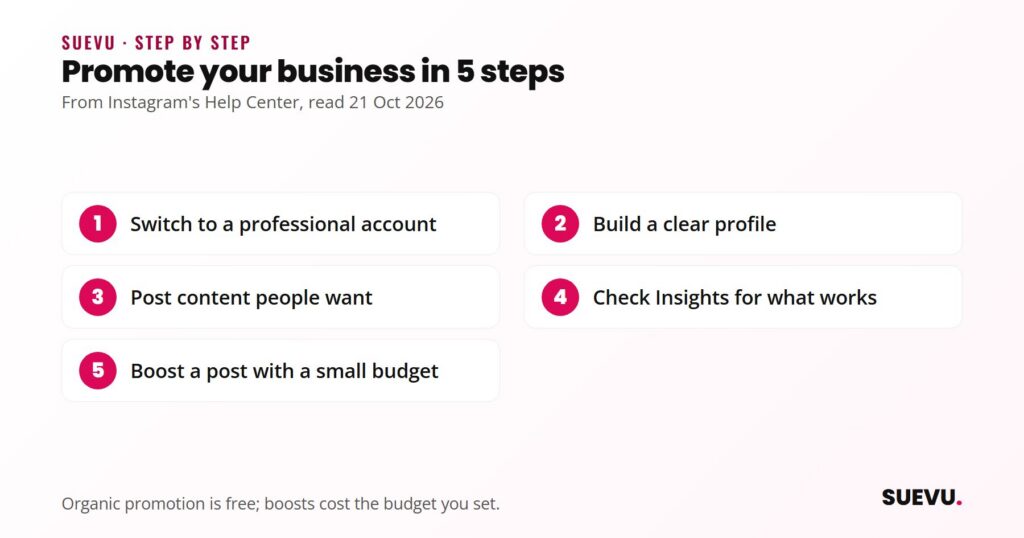
Step 1: set up a professional account
Instagram’s Help Center page on professional accounts says professional accounts can be Business or Creator. Business accounts are best for retailers, local businesses, brands, organizations and service providers, and Creator accounts for public figures, content producers, artists and influencers. A professional account gives access to features to help you grow, monetize, create ads, understand your growth and manage messages.
The page lists these features:
- A professional dashboard to track performance and find professional tools.
- Ads: you can run ads from your Instagram professional account and use Meta tools to create ads for Instagram and Facebook.
- A Contact button near the top of your profile, with directions, a phone number and an email address.
- A category label under your profile image, which you can show or hide.
- Insights on your followers and on how individual posts perform.
- A secondary inbox with Primary, General and Requests folders.
Things to know before you switch, per the same page and Instagram’s setup page: a private account becomes public (pending follow requests are accepted when you go public), connecting a Facebook Page is recommended for the best use of business tools, and you can switch back to a personal account or change type at any time. Switching to personal means you lose access to ads and some tools.
To switch in the app: go to your profile, tap More to open Settings and activity, and below For professionals tap Account type and tools, then Switch to professional account. Pick a category and choose Business or Creator. Instagram notes the category you pick does not decide the account type.
Step 2: build a profile that converts
- Say what you do in the bio, in plain words, in the first line.
- Add contact details through the Contact button if customers should reach you directly.
- Pick one link and make it the page you most want visitors to see. Our guide to the Instagram link in bio compares ways to add more than one.
- Use a recognisable profile picture, such as your logo, and a short username people can search for and remember.
Step 3: post content people want
The advice below is editorial, based on common practice rather than a source we can cite, so adapt it to your audience.
- Work from questions your customers ask. Answer them in posts, carousels or short videos.
- Show the product in use and the people behind it, not only studio shots.
- Mix formats. Photos, carousels, reels and stories each reach people in different ways. See our guide to the Instagram slideshow and carousel for multi-image posts.
- Write captions with one clear point and one next step: how to write good Instagram captions.
- Reply to comments and messages promptly. Instagram’s secondary inbox helps keep business messages organised.
- Be consistent at a pace you can keep. We cover options in how often to post on Instagram, and you can plan ahead with the tools in how to schedule Instagram posts.
How posts get seen depends on Instagram’s ranking, which changes over time, so judge results by your own Insights rather than by rules of thumb.
Step 4: measure what works
Instagram says Insights show who your followers are, when they are online, and how each post performed and how people engaged with it. Check them regularly and note which topics and formats bring responses, then do more of those. For tools that go further, see our roundup of Instagram analytics tools.
Step 5: promote with Instagram’s own tools
Instagram’s page on boosting a post says that with a professional account you can boost a post to turn it into an ad and reach new audiences. Boosted posts appear in Explore, Home Feed, profile feed and Stories. You also need an ad account: if you have not boosted before, you are prompted to choose one, or you can keep your Facebook and Instagram accounts separate.
How to boost a feed post in the app
- Go to your profile and tap the post you want to promote.
- Tap Boost below the post.
- Set the Goal (what you want people to do), Audience (who should see it), Budget (daily spend) and Duration, then tap Next.
- Tap Preview ad to review where it will run.
- Tap Boost post.
After you submit, Instagram says the ad is reviewed against its ad policies, that you are notified when it is reviewed, approved or disapproved, and when it ends, and that it begins running only after approval. If you do not see Boost under a post, the post or your account may not be eligible.
Other ways to advertise
Instagram’s ads overview says you can boost from the app, from instagram.com, from a linked Facebook Page, in Meta Business Suite, or in Meta Ads Manager, which has the most advanced options. Boosting from the app sets audience and placement options automatically. Instagram also notes that on iOS an Apple service fee of 30% of your ad payment may apply when you add funds in the app, and that using instagram.com instead avoids it. Special rules apply in some regions and for some ad categories, such as credit, employment, housing and political ads in the US.
Start with a small budget, one goal and one post, and review Insights before spending more. Paid promotion supports content that already works. It does not fix a weak offer. Our guide to turning Instagram followers into customers covers what happens once people arrive.
Why followers cannot be bought
You may see services offering followers for a fee, and some businesses ask whether that is a shortcut. We do not treat it as a promotion tactic. Followers who are not real customers do not buy, and the numbers can mislead you when you read your Insights.
There is also a legal angle in the United States. The FTC’s August 2024 final rule on fake reviews and testimonials, announced on 14 August 2024, bans selling or buying fake indicators of social media influence, such as followers or views generated by a bot or hijacked account. According to the FTC, the ban on buying applies when the buyer knew or should have known the indicators were fake and used them to misrepresent their influence or importance for a commercial purpose. Read the FTC announcement for the details, and seek legal advice if you are unsure how it applies to you.
If you want to understand what these services offer and the risks involved, our overview of Instagram growth services describes the options neutrally, and the wider growth services category lists reviews. Real growth comes from the steps above. For free approaches, see how to build an Instagram following.
Working with creators
If you send products to creators or pay them to post about you, the FTC’s guide Disclosures 101 for Social Media Influencers says any material connection must be disclosed, including free or discounted products, even if you did not ask for a specific item to be featured. It says disclosures should stay with the endorsement rather than sit only on a profile or behind a “more” link, should be placed over the image in Stories with enough time to read, and should use plain wording such as “ad” or “sponsored”. Our guide to finding Instagram influencers covers outreach. The FTC’s page summarises US rules, so check your own country’s requirements too.
FAQ
Is Instagram free for business?
Having a professional account is free, and organic posting costs nothing. Boosted posts and ads cost the budget you set, and Instagram says an Apple service fee may apply on iOS.
Business account or creator account?
Instagram describes Business accounts as best for retailers, local businesses, brands, organizations and service providers, and Creator accounts as best for public figures, content producers, artists and influencers. You can change type at any time.
Do I need a Facebook Page?
Instagram recommends connecting a Page to get the most from business tools, but says connecting one is optional. When you first boost, you can choose an ad account or keep your Facebook and Instagram accounts separate.
How much should I spend on a boosted post?
Instagram does not set a recommended amount in the pages we read. You choose a daily budget and a duration. Starting small and checking results is a sensible approach.
How long does an ad take to start?
It begins running after Instagram reviews and approves it. The page does not give a time.
Can I buy followers to look credible?
We do not recommend it. See the section above, including the FTC’s rule on fake indicators of social media influence.
Features, fees and menus change often. If something is out of date, tell us on the contact page, as described in our editorial policy. For more Instagram marketing guides, see our Instagram tips section and our Instagram tools roundup.